Is there a way to "Block" or "Ignore" another user?
6 replies · 5603 views
I want to block people that post a bunch of TikTok videos. Is there a way to do that?
Thanks.

You can ignore their content. Hover over their avatar and you'll see an ignore user option. You can edit your ignore settings in your preferences as well. This will hide their posts, but give you the option to expand them and show the content.
Thanks!
.jpg.448c47bdb5df74eca9461535dbe1f7ae.jpg)
@Grievous i got a good explication, you just click on your name and then select ''ignored users''
then you will just have to copy the nickname of some user here and add for ignore list, that's it 100% blocked & done
it means if you doing this u won't see their posts, messages or something else.
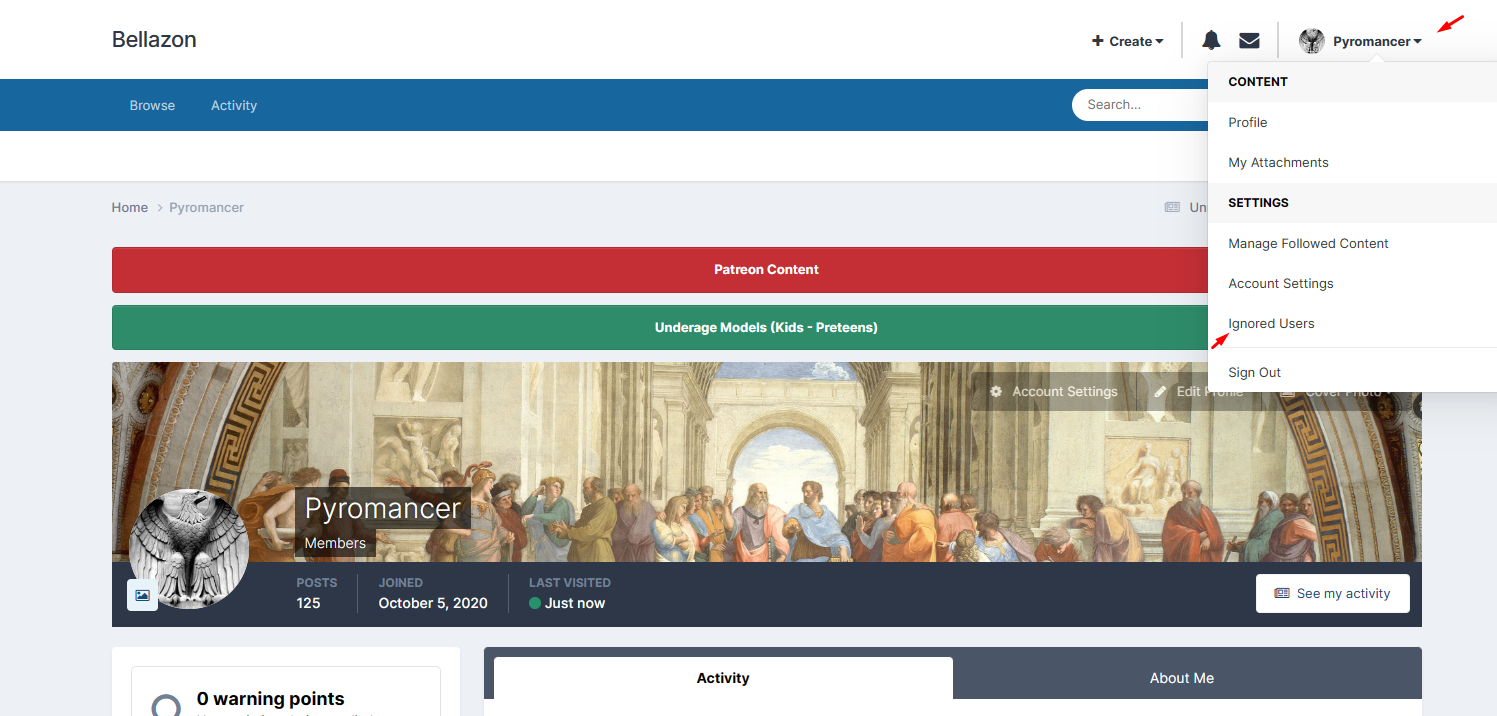
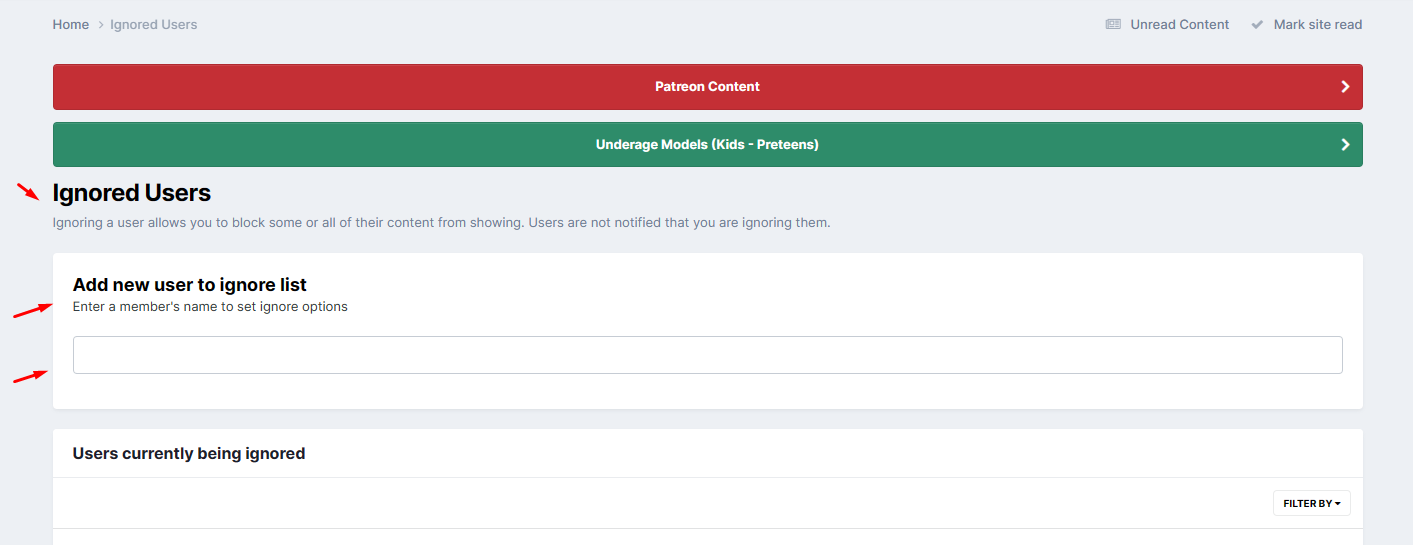

On 11/21/2023 at 11:19 AM, Pyromancer said:then you will just have to copy the nickname of some user here and add for ignore list, that's it 100% blocked & done
it means if you doing this u won't see their posts, messages or something else.
But if you block them, will they be able to see your Posts?
1 hour ago, emerald7 said:But if you block them, will they be able to see your Posts?
no i think it wont, nether you will be able to look their posts unless you want then
it shows a warning when you are ignoring that user indeed.
Oh ok thanks for answering