Issues with the Attachment Function
182 replies · 74966 views

^ what he said 
Sometime in the next week or so they should be restored.
These picture is very good.I like it.

Ok! So I can upload pictures fine. That part works. BUT I can't add them to a post. They all show as "Attached Thumbnails" underneath the post instead. I haven't been able to actually put pictures in a post for a couple of weeks now. Not sure why.
(I hope I posted this in the correct thread. If not, sorry!)

^ Could you screenshot the issue? In other words screenshot the post page of what happens after you upload an attachment
Also please try clearing your cache. We updated the forum a couple weeks ago and perhaps a difference between your cache and the newer code is causing the issue.
^I have already tried that. It didn't change anything unfortunately.
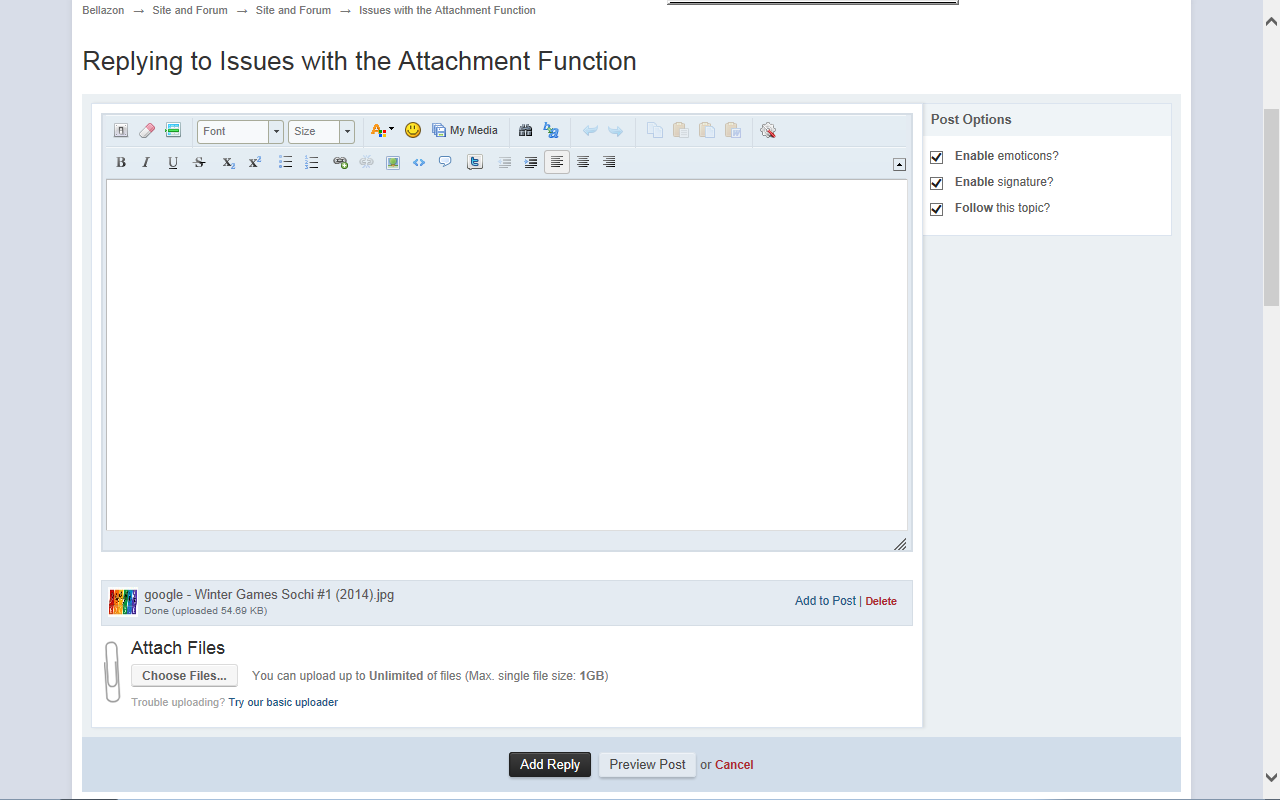
Here is a screenshot. The attachment uploads and everything, but the "Add to post" button isn't working. I can't actually put the photos I load into a post. They just go as "Attached Thumbnails" underneath.
o. On the mobile version of this site I can no longer view a majority of the pictures. I click the thumb nail and get blank pages. Yet on the same device they work when you use the full version of b the site. Can someone fix this?
o. On the mobile version of this site I can no longer view a majority of the pictures. I click the thumb nail and get blank pages. Yet on the same device they work when you use the full version of b the site. Can someone fix this?
Hmmm I fixed this a while ago but I honestly dont remember how, let me look into it again and I will get back to you. Sorry for the inconvenience.
Thank you
^I have already tried that. It didn't change anything unfortunately.
Here is a screenshot. The attachment uploads and everything, but the "Add to post" button isn't working. I can't actually put the photos I load into a post. They just go as "Attached Thumbnails" underneath.
I just looked into your account and the "Add to post" button was working fine. I was able to add a test image into a post and have it display as a non-"attached thumbnail".
What browser and version are you using? I used Firefox 27.0.1 to test your account

^ I have the same issue using IE,but with toggle button off,it works fine,though I guess that this issue needs maybe a fix.
@Wickedcrazyness,click to turn off the toggle button on the top left of your replying box,then add the attached images,they'll appear as you want them.
^Mahi, thank you! That fixed the problem. I'm using Internet Explorer.
Thank you for your help too PinkCouture!

Does any one know what You are not allowed to use that image extension on this community. message is about?
I tried opening a new topic, I linked a photo from a hosting site, it worked fine for a few moments but when I tried refreshing the image was gone and the link was changed (?!).
And when I tried to re-link it, i get this message. I tried different file extensions and different hosting sites.

Hello!
So I've been trying to upload some images through the "attach files" option down at the bottom of the screen, but they all end up being REALLY small. They open in a different window and get bigger when you click on the image, but I feel like that's kind of a hassle.
They all look like this:

And I feel like that's really small.
Any ideas?
^the thumbnails need to be relatively small so they don't take up too much space on the page. If they were too much bigger, it would take FOREVER to scroll through the posts.
^ Thats the default size currently, we are discussing increasing the size a bit in the future. We shall keep you posted 
Does any one know what You are not allowed to use that image extension on this community. message is about?
I tried opening a new topic, I linked a photo from a hosting site, it worked fine for a few moments but when I tried refreshing the image was gone and the link was changed (?!).
And when I tried to re-link it, i get this message. I tried different file extensions and different hosting sites.
Whats the hosting site? Maybe its blacklisted (pay host?)
Whats the hosting site? Maybe its blacklisted (pay host?)
It's not the hosting site, I tried various ones.

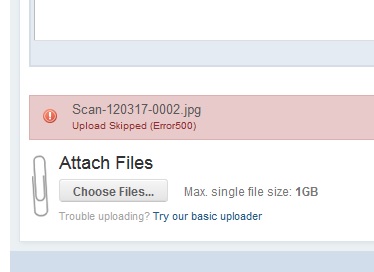
The file attachment system has never worked for me with files above a certain size (both basic uploader and regular uploader). I'm using the latest version of Firefox and Flash on Windows 7. I can upload a 2 MB jpg attachment, but a 5 MB attachment never works. It didn't work two years ago and didn't work now. This is really too bad because I have a ton of classic scans I could contribute and I keep giving up. See screenshots, and notice the "Error 500" when the 5 MB file failed: 

There is an issue with images at the moment.
They are uploaded by an image host but come up on this form as an attachment link instead of the pic? Will this be fixed?