Best of Editorial Images.
2179 replies · 303586 views
1.4

Voting Closed. The score for that image is - 36.7
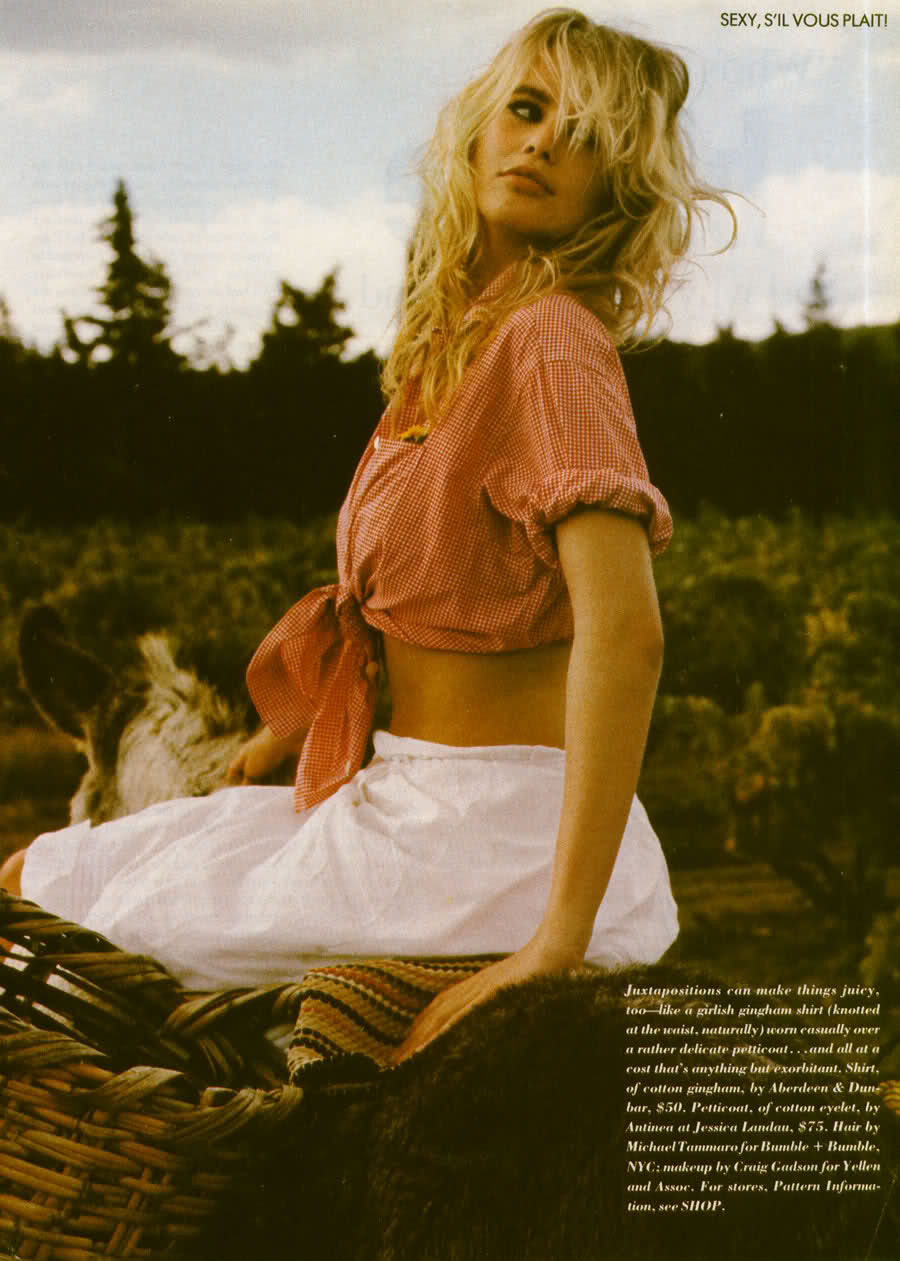
Best of Editorial Images Number 12-Claudia Schiffer- Moda (Italy), 1989 :"Divina Claudia" by Sagitario
1- Vote on the model,clothing,photography,anything to do with the photo
2- You can vote three times (split it how you want).
3- Each photo will get a final score,and eventually will determine the rankings.
4- NEW RULE: Maximum of 20 voters, it's what ive been doing through the whole thing, so to make it fair, after 20 votes...the others will not be counted. only the first 20 votes apply, sorry.
5- START VOTING! 

2.2

love whole ed!
3

3 
2.1

2

2.5

3!

3
2
3
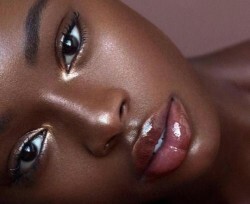
*edit* forgot to vote  2
2
@Donbot- Are you saying the picture quality is bad? or the way it was photographed? cause the picture is decent quality. its not HQ but still. sorryYeah, I mean the quality of the JPG image, not the photo. The scanner used too many filters to try and reduce the graininess.. came out blurry and splotchy. You can really tell in the texture of her skin, and along the edges of her body.. and well, pretty much everywhere in fact.
Nevermind though.. not your fault

It seems as though Bitmap captures more of the original quality but it requires so much space most imagehosts don't allow it (and when you go from Bitmap to JPEG they'll sometimes give a warning that it will be at the peril of lost quality and information and I noticed myself deep red becomes dark red ect.) Which is strange to me because imageshack allows 50 jpegs at a time but not one Bitmap  .
.

1.8
It seems as though Bitmap captures more of the original quality but it requires so much space most imagehosts don't allow it (and when you go from Bitmap to JPEG they'll sometimes give a warning that it will be at the peril of lost quality and information and I noticed myself deep red becomes dark red ect.) Which is strange to me because imageshack allows 50 jpegs at a time but not one Bitmap
JPEG have almost the same quality in pictures like these if the compression ratio is not too low.
BITMAP is much better only for capturing graphics, tables, letters... images with few colors and large areas with the same exact one, in these cases JPEG clearly shows its limitations.
However BITMAP has no compression at all, so you'd better use GIF or PNG, no quality loss and compression.
1

Not spectacular - 1.5
It seems as though Bitmap captures more of the original quality but it requires so much space most imagehosts don't allow it (and when you go from Bitmap to JPEG they'll sometimes give a warning that it will be at the peril of lost quality and information and I noticed myself deep red becomes dark red ect.) Which is strange to me because imageshack allows 50 jpegs at a time but not one Bitmap
The quality of a JPG is just fine with the right compression settings, but the image quality I was talking about doesn't have anything to do with the file format.. more what the scanner did to the image in Photoshop before he/she saved it. You often get a lot of noise, grain and unwanted patterns when you scan a magazine.. varying depending on the quality of the print and of the scan. You can do things to reduce it in Photoshop, such as blurring, sharpening and downsizing.. but this image was done over the top.
JPEG have almost the same quality in pictures like these if the compression ratio is not too low.BITMAP is much better only for capturing graphics, tables, letters... images with few colors and large areas with the same exact one, in these cases JPEG clearly shows its limitations.
However BITMAP has no compression at all, so you'd better use GIF or PNG, no quality loss and compression.
GIF has a limit of 256 colours, so there's plenty of information loss for photos, unless it's very small (eg. avatar size). BMPs can die in fire - GIF is the way to go for the examples you gave.
PNG is best for photos in terms of quality, because as you said, there's no quality loss at all. JPG is usually a better option though, since you generally get smaller file sizes for negligible quality loss.
^ someone speak english or end this conversation please.
I give this photo a 1.5
GIF has a limit of 256 colours, so there's plenty of information loss for photos, unless it's very small (eg. avatar size). BMPs can die in fire - GIF is the way to go for the examples you gave.PNG is best for photos in terms of quality, because as you said, there's no quality loss at all. JPG is usually a better option though, since you generally get smaller file sizes for negligible quality loss.
Yep, you're right, I meant GIF for pictures of graphics, tables or similar, but PNG is clearly the best option for that now, that's the format I use for my competitions tables and results.
And JPG for photos of course, in case it was not clear in my previous message.
^ someone speak english or end this conversation please.I give this photo a 1.5
