Computer Problems Pinned
142 replies · 92852 views

i had the same problem a while ago,but only after i saved many pics,over 30. Reeboot and it might work.it worked with to me.so try that. or even try to clean your pc .. cookies and everything .. i can give you some programs .. if you like 
Thank you Mikey. I already deleted cookies and etc. but it's still not working. I use Mozilla and when I save picture on IE it works just fine. 

in FF go tools -> options and right in the middle itll say "save files to" make sure that is where u normallly look for em.
Nothing.
Thank you Mikey. I already deleted cookies and etc. but it's still not working. I use Mozilla and when I save picture on IE it works just fine.
hmm i use only IE ...and i save pics only with it .. and i have no problems now ..
i have Opera too,but i don`t use it for saving pics...

many people have that problem with ie. i had it for some month too, thats the reason why im using mozilla now
clean your hdd with http://www.filehippo.com/download_ccleaner/ (all internet explorer options). sometimes it works so good luck (Y)
if it doesnt work u should use mozilla. its the better browser without problems of saving pics

Thank you Mikey. I already deleted cookies and etc. but it's still not working. I use Mozilla and when I save picture on IE it works just fine.
same for me 
many people have that problem with ie. i had it for some month too, thats the reason why im using mozilla nowclean your hdd with http://www.filehippo.com/download_ccleaner/ (all internet explorer options). sometimes it works so good luck (Y)
if it doesnt work u should use mozilla. its the better browser without problems of saving pics
That's the problem. I use MOZILLA, and I can't save it on MOZILLA, I can only save it on IE. And I can't stand IE. :|
ouuuh that is a big problem :shock:
did you re-installed mozilla already?? if not try it but im really sure that i takes no effect.....
maybee your registry is damaged because of the power blackout. u can try to fix it with http://www.soft32.com/Download/free-trial/...d/4-8879-1.html
deinstall mozilla and then check the registry for errors and fix all (a lot of work with the free trial version). at the moment i have no other idea and a remote diagnosis is always difficult 
ouuuh that is a big problem :shock:did you re-installed mozilla already?? if not try it but im really sure that i takes no effect.....
maybee your registry is damaged because of the power blackout. u can try to fix it with http://www.soft32.com/Download/free-trial/...d/4-8879-1.html
deinstall mozilla and then check the registry for errors and fix all (a lot of work with the free trial version). at the moment i have no other idea and a remote diagnosis is always difficult
the same thing happened to me and reinstalling mozilla didnt help, its still not working 
use Registry Mechanic 6.0 .... anyone that wants the program tell me .. i`ll upload it for you with the serial too ...
i want it, please 

no problem. i sent you a pm because i`m sure we`re not allowed to post programs here
I want it toooooo.  What this program does ?
sex with your ass 
it cleans and repairs your registry`s
i`ll send you a pm with the program 
Thanks, Mike. But I still can't save pictures. 
i think i`ll kill myself 
Ahh I got it.
Simply the best are you still having problems ?
Go to the firefox folder in Documents and Settings then go to PROFILE and look for this downloads.rdf. DELETE THIS.
When you open your firefox again you'll have a new downloads.rdf, so now you can save pictures again. It worked here.


Those weird traces have appeared on the top of my computer's screen, any idea what it is ?
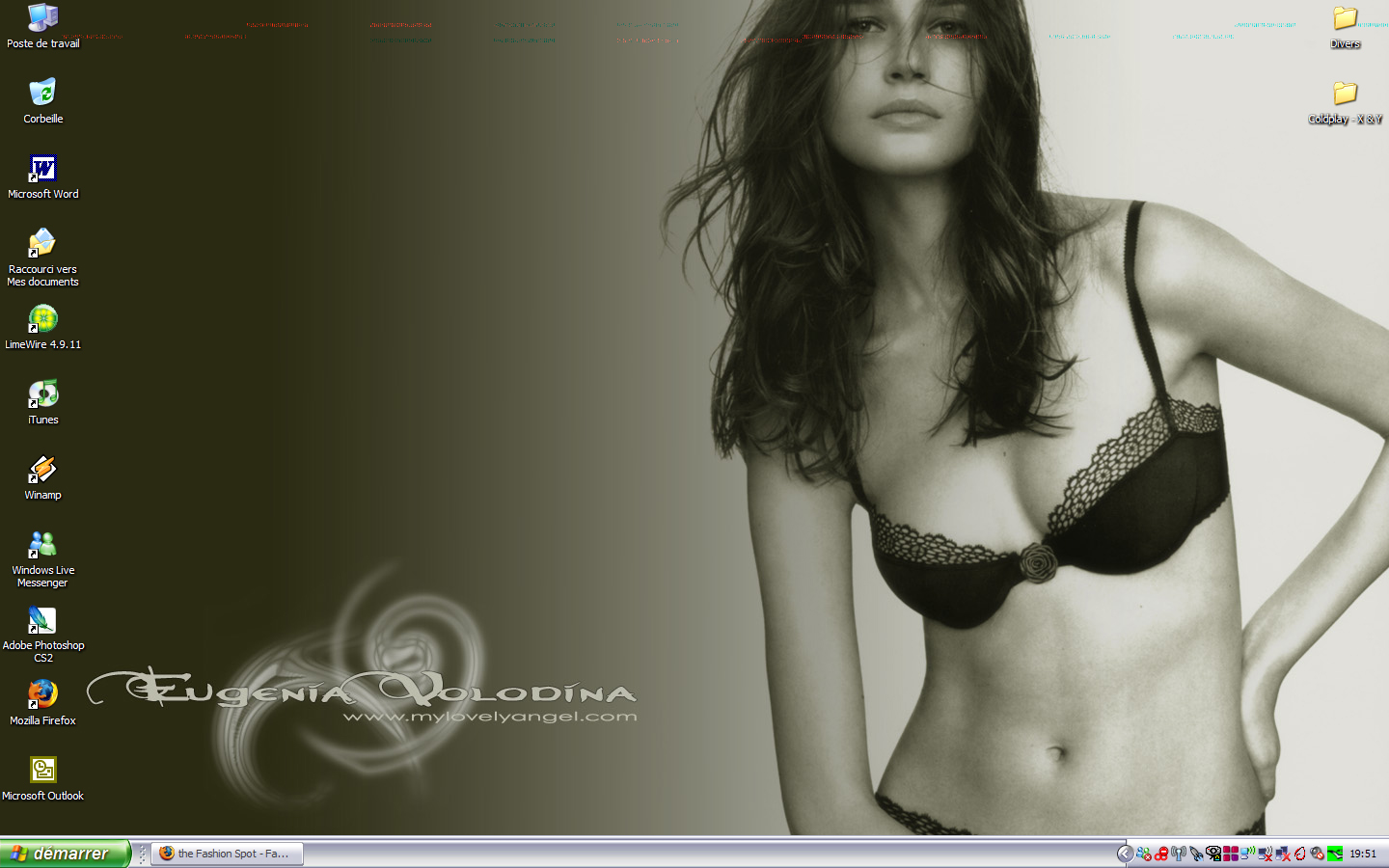
have noticed that similar traces also appear on HQ pictures sometimes, when i look at them full-size
you try booting in safe mode and seeing if they still there?