Complete List of HQ Image Tricks
56 replies · 3112 views
Heine
scroll about the original image (not thumbnail), right click, select "copy link":

heinede.zoomoviewer.com/servlet/GetImage?clientId=6529ℑ=hvhk126-OTV_0202x01_016922.jpg&zoomFactor=200
replace 200 with 2000 or 3000

heinede.zoomoviewer.com/servlet/GetImage?clientId=6529ℑ=hvhk126-OTV_0202x01_016922.jpg&zoomFactor=2000
GALERIA Kaufhof - galeria-kaufhof.de
The large images are in thsi format:
http://www.galeria-kaufhof.de/fsi/server?type=image&source=celumExport/Produktbilder/1072/10726240/10726240_001_99999_bild_002.jpg&height=3000

The small images are the same until the first '&' (the one after "jpg"). So just pick up an image, get rid of anything after the first '&' and replace by "height=3000".
Experimentally 3000 is the largest. Smaller height works too.

Peter Hahn
peterhahn.de Credit to Tmariss , 
1-Go into the image page,right click on it,choose open link in new tab option
it will give you image with 882x1176 size
http://media.peterha...1012_173029.jpg

2-If you want it bigger
change letter F into H on the above given link,like this
http://media.peterha...1012_173029.jpg

which gives 3000x4000 size
JCrew
http://www.jcrew.com/index.jsp
1-Right click on the picture ,get this url
http://s7.jcrew.com/...9_m?$ary_tn250$
2-Change what after ? into scl=1
http://s7.jcrew.com/..._NA6489_m?scl=1
Any questions about fashionsites tricks,PM me.
Loveculture
1-Go to the product page ,get the image url which is here as e.g is
http://img.lovecultu...00917_420_2.jpg

2-change ProductThumbs part into ProductZoom

Bostonproper.com
1. right click on thumbnail and copy the url
there are 2 variants
http://www.bostonpro...ult_300x450.jpg

http://www.bostonpro...ult_178x267.jpg

2. HQ-URL
http://www.bostonpro...D_AKID}&01NA=ck&

http://www.bostonpro...D_AKID}&01NA=ck&

3. replace the pic-code
www.bostonproper.com/assets/fluid/customers/c750/P-828286/generated/P-828286_default_default_178x267.jpg
www.bostonproper.com//assets/fluid/customers/c750/E-5439/E-5439_ProductDetail/main_variation_default_view_default_300x450.jpg
www.bostonproper.com/assets/fluid/customers/c750/P-828286/P-828286_LargerView/...
www.bostonproper.com/assets/fluid/customers/c750/E-5439/E-5439_LargerView/...
credits to j@mes, tmariss and hleg
Fashionising
go to http://www.fashionising.com/runway
choose show
find and open your thumbnail image
find in your thumbnail where it says "s" and change it to "x"
here's the thumbnail I will be using in this tutorial: http://www.fashionis...g-2013-pfw1.jpg

here's my final product: http://www.fashionis...g-2013-pfw1.jpg

Ralph Lauren ralphlauren.com
Start from a page showing a picture E.g. this page
http://www.ralphlaur...ductId=18554596
On Opera raise the pop-up menu (right-click) "Source". Search in it for sku=, and you get something like that:
sku=s7-1011291_standard;
Take the number in the last bit (328552 in this case) and replace it in this string:
"http://s7ondemand7.s..._standard?scl=1"
That gives you the image itself. There may be more than one image in the source:
To get the image that are displayed by zoom, you need to replace the "standard" by "lifestyle", e.g.:
"http://s7ondemand7.s...GSI/s7-1011291_lifestyle?scl=1"
When there is more than one zoom, the other may be with alternate1 or alternate2 instead of standard, e.g.
If there are more options to zoom, you can find them by replacing lifestyle with alternate1' e,g:
"http://s7ondemand7.s...GSI/s7-1011291_alternate1?scl=1"
All the above works for ralphlauren.co.uk too, and other Ralph Lauren sites.
[ Great thread. There are many more entries in my site. Feel free to copy them to here. ]
Madeleine madeleine.de madeleine-fashion.co.uk
The full images are in this format:
"http://a.madeleine.de/img/cache/images/249308_2326_3000_0_0_0_0.jpg"

The images in the catalog are the same except the last six number. for example:
"http://a.madeleine.de/img/cache/images/249308_176_227_0_0_2326_3000.jpg"

So you need to replace the last six numbers and underscores by the last two numbers
followed by 4 zeroes, separated by underscores. As far as I can tell, the numbers are always
2326_3000, but that may change. Same change works for other madeleine sites, e.g.
madeleine-fashion.co.uk.
If you are in a product page, click "zoom" and then you can take the url from the thumbs.
[This thread is too quiet. Maybe we should allow asking for information. People will need to search anyway.
We just need to ensure that people ask only about catalogs, and get the moderators to delete other messages. ]
amazon amazon.com
From the product page click on the image to get the zoom. right-click on the image in the zoom allows saving a medium size image. (1500 pixels high). For example, starting from this page:
"http://www.amazon.com/Magaschoni-Cashmere-Turtleneck-Sweater-Charcoal/dp/B0088B2DHQ/ref=sr_1_4?s=apparel&ie=UTF8&qid =1361728728&sr=1-4"
going to zoom and right-lick gives this image:
"http://ecx.images-amazon.com/images/I/81JKdlJhgaL._SL1500_.jpg"
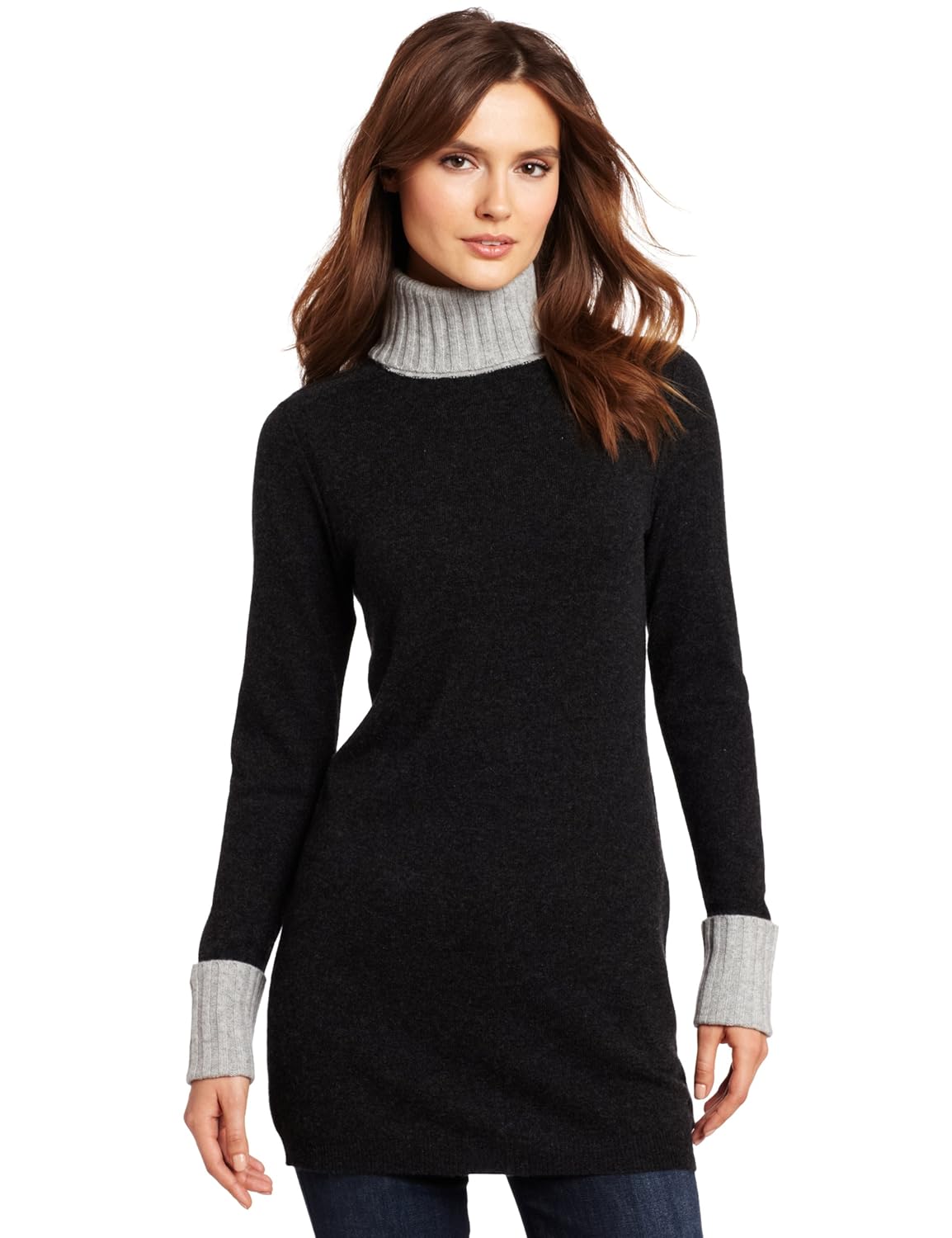
To get the full size image (2560 high), just remove the _SL1500_" and one of the dots:
"http://ecx.images-amazon.com/images/I/81JKdlJhgaL.jpg"
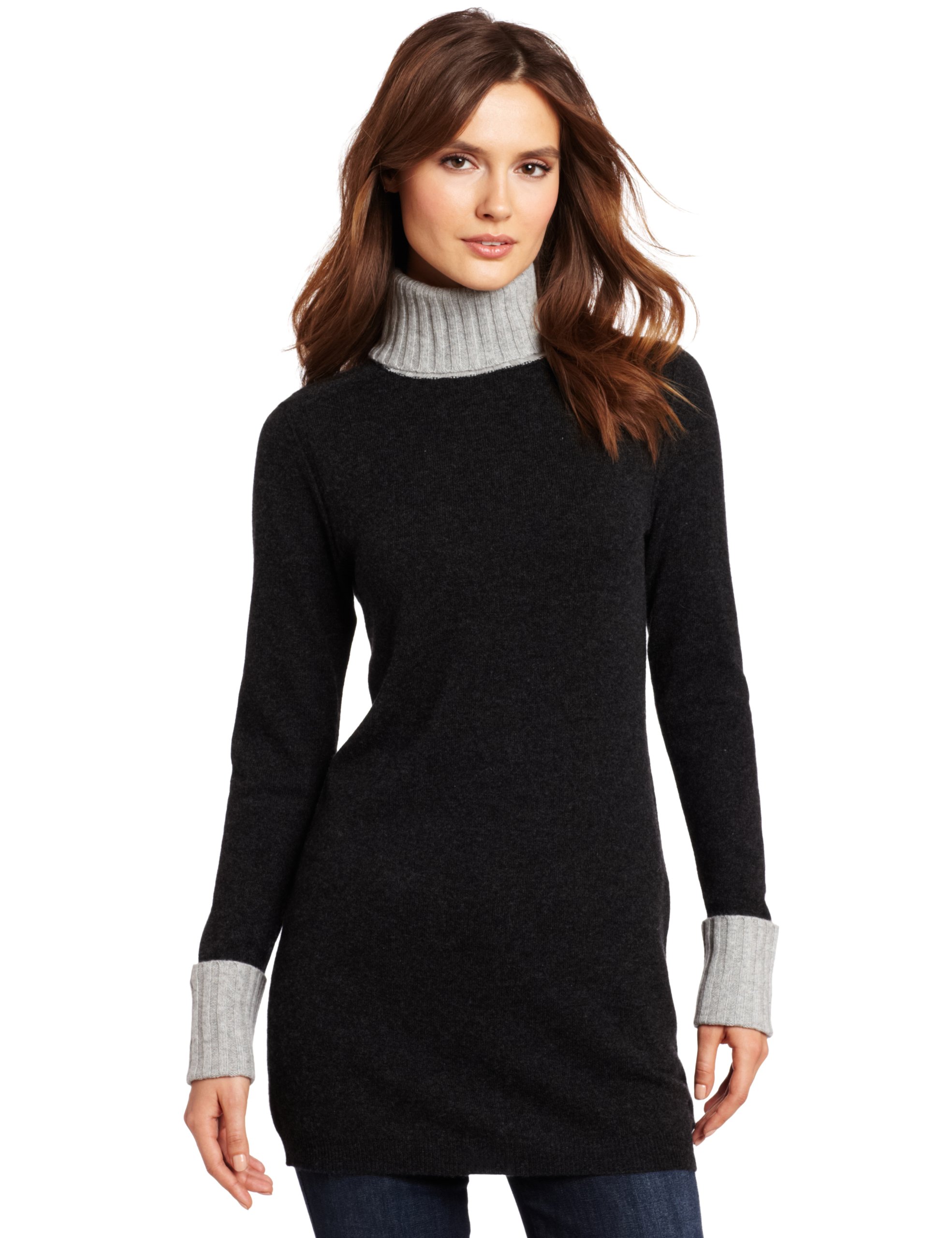
Based on misterZ and Nardev in the "How To Get HQ" thread
Neiman Marcus or Bergdorf Goodman
*Note: Even though I'm using a thumbnail from Neiman Marcus in this tutorial, image URLs are structured the same way on both websites and will work the same way.
Here's the thumbnail I will be using in this tutorial: http://images.neiman.../NMT5T2J_mi.jpg

Here's my final product: http://images.neiman.../NMT5T2J_mz.jpg

1. Find and open your thumbnail image.
2. Find in your thumbnail where it says "mi" and change it to "mz". The original letters will vary from "mi" to "ma" to "mx" to any combination of "m+another letter" depending on where you get your thumbnail image from. This makes no difference as you will change it "mz" regardless to get the HQ image. The "mi" combination will appear twice in your thumb URL, after "/products/" and before ".jpg". You need to change them BOTH to "mz" to get the HQ.
3. Ta-Da! The HQ image is all yours! Now wasn't that simple?
*Note-Note: By changing the "mz" to "az" in the URL, you could get the back view of the image. I.E. http://images.neiman.../NMT5T2J_az.jpg

*Note-Note-Note: When changing the code to "mz" you MUST use lowercase letters; the trick won't work if you substitute with "Mz" or "MZ".
Bloomingdales
Here's the thumbnail I will be using in this tutorial: http://images.bloomi...,0.5,0&fmt=jpeg OR http://images.bloomi...,0.5,0&fmt=jpeg
Here's my final product: http://images.bloomi...2_fpx.tif?scl=1 OR http://images.bloomi...7_fpx.tif?scl=1 & http://images.bloomi...8_fpx.tif?scl=1
1. Find and open your thumbnail image.
2. Now, as you can already probably tell by from your thumbnail URL and image, Bloomingdales is a annoying son-of-a-bitch when it comes to getting HQ images because their thumbnail images include both the front and reverse view of a product, if the reverse view is available. I guess this is really technically two tutorials wrapped into one: first, I'll show you how to get an HQ image from a thumbnail that only has the one view and, then, how to get an HQ image from a thumb that has two views.
For single image thumbs: Find ".tif?" in your thumb URL. Remove everything after the "?" and replace it with "scl=1".
For double image thumbs: Here comes the fun part. You wanna know what... this is probably the easiest way to go about doing this:
Any code that is bolded: DO NOT DELETE! You need that stuff.
Any code that has a line through it: Delete. You don't need it.
Any code in the turquoise-ish coloring: This is the image source for the first of your two thumbnail images.
Any code in the purple-ish-pink-ish coloring: This is the image source for the second of your two images.
In order to get your HQ images, take the bolded code from the beginning of your URL that you did not delete (images.bloomingdales.com/is/image/BLM/products/), and add EITHER the code for your first image or second image onto the end of it, giving you either "images.bloomingdales.com/is/image/BLM/products/7/optimized/8134498_fpx.tif" or "images.bloomingdales.com/is/image/BLM/products/8/optimized/8134498_fpx.tif". DO NOT ADD BOTH SOURCES TO THE END OF THE BASE CODE! This will give you neither image.
But wait! You're not done yet! Now, just add "?scl=1" at the very end of your URL and it will give you the HQ image:
3. Ta-Da! The HQ image is all yours! Now wasn't that simple?
Saks Fifth Avenue
Here's the thumbnail I will be using in this tutorial: http://image.s5a.com/is/image/saks/0478553478278_ASTL_247x329.jpg'>http://image.s5a.com/is/image/saks/0478553478278_ASTL_247x329.jpg
Here's my final product: http://image.s5a.com/is/image/saks/0478553478278_ASTL?scl=1'>http://image.s5a.com/is/image/saks/0478553478278_ASTL?scl=1
1. Find and open your thumbnail image.
2. Find in your thumbnail where it says "_ASTL" and remove everything that comes after it. Depending upon where you get your thumbnail from, this could be any number of things, but, regardless, you're going to remove whatever it is all the same. After you remove everything, put "?scl=1" to get the image in HQ.
3. Ta-Da! The HQ image is all yours! Now wasn't that simple?
*Note: Replacing the "_ASTL" with "_A1" or removing both of them from the URL all together will often get you an alternative view of the image. I.E. http://image.s5a.com/is/image/saks/0478553478278_A1?scl=1 OR http://image.s5a.com/is/image/saks/0478553478278?scl=1
Tommy Hilfiger
Here's the thumbnail I will be using in this tutorial: http://shoptommy.sce...=0.165,0,0.67,1
Here's my final product: http://s7d3.scene7.c...5_770_FNT&scl=1
1. Find and open your thumbnail image.
2. Your first instinct is probably to remove everything after the question mark and replace it with "scl=1". Unfortunately, on the Tommy Hilfiger website, this will return you with an "illegal image size" message. The easiest way to get HQ's from the Tommy website is to find the image code in between "/Shop Tommy/" and the "?" in your thumb URL, copy it, and paste it into this URL template: s7d3.scene7.com/is/image?src=/ShopTommy/[image code here]&scl=1. Like so:
3. Ta-Da! The HQ image is all yours! Now wasn't that simple?
Roamans roamans.com
All the small image are the url of the large image followed by various stuff, so just remove everything after the "jpg", for example, a thumb looks like that:
"http://media.redcatsecom.com/roamans/mm/0501_71412_mm.jpg?wid=53&qlt=95&op_sharpen=1"

and the full image is in thi surl:

Bostonproper.com
Since this post Boston Proper has changed their website and it's actually easier now to get HQ images than it was before!
Boston Proper
Here's the thumbnail I will be using in this tutorial: http://www.bostonproper.com/Product_Images/470838218_2011_shelf.jpg

Here's my final product: http://www.bostonproper.com/Product_Images/470838218_2011_large.jpg

1. Find and open your thumbnail image.
2. Towards the end of the thumb URL, find whatever word is right before ".jpg". The word will typically be "shelf" but it could also be like "thumb2" or something else depending on where you find your thumbnail image. Change whatever this word is to "large":
3. Ta-Da! The HQ image is all yours! Now wasn't that simple?
Lili Pulitzer lillypulitzer.com
The images url contain size, you just need to change the "hei" field to 2000 and eliminate the rest.
For example, you get this image:
http://s7d1.scene7.com/is/image/sugartown/41773_brightnavygetyourchevon_a1?wid=240&hei=385&fmt=jpeg&qlt=80,0&resMod e=sharp&op_usm=0.8,0.5
Change it to:
http://s7d1.scene7.com/is/image/sugartown/41773_brightnavygetyourchevon_a1?hei=2000
Heine
scroll about the original image (not thumbnail), right click, select "copy link":
http://heinede.zoomo...&zoomFactor=200
heinede.zoomoviewer.com/servlet/GetImage?clientId=6529ℑ=hvhk126-OTV_0202x01_016922.jpg&zoomFactor=200
replace 200 with 2000 or 3000
http://heinede.zoomo...zoomFactor=2000
heinede.zoomoviewer.com/servlet/GetImage?clientId=6529ℑ=hvhk126-OTV_0202x01_016922.jpg&zoomFactor=2000
Seems not to work anymore. Instead you can find the code of the image in the source by looking for "ImagesZoomMain", and then insert
in the url above, for example, start from this page:
http://www.heine.de/...3804920/HeineDe
In the sourvce search for "ImagesZoomMain". I t appeasr more than once, the second occurence looks like that:
"ImagesZoomMain": ["hvhk126-OTV_0174x01_005191.jpg","hvhk126-OTR_0174x01_005191.jpg","hvhk12201_0168x01_005191.jpg","hvhk12201_0168x01_005191-3.jpg","hvhk12201_0168x01_005191-7.jpg",
"hvhk12201_0168x01_005191-2.jpg","hvhk126_0174x01_015827-2.jpg","hvwei126_0102x03_005196.jpg"]
Insert the last code into the url above to get the full image:
heinede.zoomoviewer.com/servlet/GetImage?clientId=6529ℑ=hvwei126_0102x03_005196.jpg&zoomFactor=[b]2000[/b]
adikastyle.com
The zoom images (1244 pixels high) have this url:

http://www.adikastyle.com/media/catalog/product/i/m/img_9160.jpg
The only variable part is the last 4 digits.
The small pictures have this url
http://www.adikastyle.com/media/catalog/product/cache/2/thumbnail/300x/9df78eab33525d08d6e5fb8d27136e95/i/m/img_0701.jpg
You can get the zoom one either by delete anything between "products" and "/i/", ot just plugging the last 4 digits in the
short url.
Neiman Marcus or Bergdorf Goodman
*Note: Even though I'm using a thumbnail from Neiman Marcus in this tutorial, image URLs are structured the same way on both websites and will work the same way.
Here's the thumbnail I will be using in this tutorial: http://images.neiman.../NMT5T2J_mi.jpg
Here's my final product: http://images.neiman.../NMT5T2J_mz.jpg
Update 3 Jul 2013:
They seem to change. The pattern is now something like
http://images.neimanmarcus.com/product_assets/SU/4/E/D/J/NM-4EDJ_mz.jpg
http://images.neimanmarcus.com/product_assets/B/2/A/U/J/NMB2AUJ_mz.jpg
As before (above), the last part is the small image with the last character changed to 'z'. The five elements before
correspond to the 5 characters in the name (after the 'MN'), but when it is - it is replaced by SU
(at least when the '-' is the first one, I didn't see any case when it wasn't).
The above works when the first character is 'B' or '-'. It seems that for 'D' and 'T' it is
still the old way, but I think new images go in 'B' and '-', so maybe it seems to be just
the different between new and old.
Tried on Neiman Marcus only, presumably the same on Bergdorf Goodman.