How To Get HQ Pictures From Online (PLEASE READ FIRST POST PRIOR TO POSTING)
2650 replies · 280374 views
I want to ask you how to get HQ pictures from this site
http://www.karli-henneman.com/fashion.html
ow and this one
Does anyone know how to make this picture from style.it bigger? Thanks

How to save pictures from Issuu site?

Does anyone know how to get HQ pics from Mark & Spencer?
http://www.marksandspencer.com/Blue-Harbou...related-items-3
I have tried everything I know... which is not much, being honest 
Thanks!! 
How to save pictures from Issuu site?
Sanja,
You can either printscreen, or you can right click on the page, when it is not in fullscreen, click on "Inspect Element" and click on "resources" and scroll down to open the picture thumb you want in a new tab like: http://image.issuu.com/111025223511-a2a98b...thumb_large.jpg

then take out the _thumb_large
and you will get this http://image.issuu.com/111025223511-a2a98b.../jpg/page_2.jpg

I use Chrome, btw.

Hi to everybody. Pls help me to get HQ pics from this site
http://milejdi.pl/Biustonosz_Gold_p1092.html
Thanks in advance !!!
found the solution for marks and spencer in my bookmarks lol!
zoom the picture from your mozilla ,then tools, page info ,find this link:
http://ecx.images-amazon.com/images/P/B005...2BO0OYVBKIQJM._SX280_SCLZZZZZZZ_SH35_V165190027_.jpg
and delete everything in red and replace it with SCRM
https://images-na.ssl-images-amazon.com/ima...IQJM._SCRM_.jpg

aand voila 
found the solution for marks and spencer in my bookmarks lol!zoom the picture from your mozilla ,then tools, page info ,find this link:
http://ecx.images-amazon.com/images/P/B005...2BO0OYVBKIQJM._SX280_SCLZZZZZZZ_SH35_V165190027_.jpg
and delete everything in red and replace it with SCRM
https://images-na.ssl-images-amazon.com/ima...IQJM._SCRM_.jpg
aand voila
Thanks, that is very useful.
A little optimization is that you don't to go to page info. The URL of each entry contains the code between the
lasts '/' and the '?', and you just need to stick it in the pattern above. For example, if you start
from the entry that Annatar gave:
The code is B005G0N9YS, and you just plug in the pattern above between the the last '/' and '.o1' to get:
"https://images-na.ssl-images-amazon.com/images/P/B005G0N9YS.01-A2BO0OYVBKIQJM._SCRM_.jpg"

ThanKs all of you for your answers!!! 
You are the best!!
whats the secret with this catalogue?
http://www.express.com/content.jsp?pageNam...-1#zmagsPage=45
daxon.fr
Most images ar ein this format:
"http://media.daxon.fr/images/0/80/BZ/0X_01101_1415.jpg"

The thumbs and the images in the lists are in thsi format:
"http://media.daxon.fr/images/0/80/BTP/0X_01101_1415.jpg"

"http://media.daxon.fr/images/0/80/BL/0X_01101_1415.jpg"

The only difference is in the penultimate part, which is BZ in the laarge image
and BTP/BL in the thumbs and lists. In other images it is AZ and ATP/AL.
There are some images that don't have zoom. For example, in this page
"http://www.daxon.fr/jupon-fluide-femme.htm?ProductId=006202381&t=6"
The full body image doesn't have a zoom. In this case the penultimate part need to be SZ. In th epage above, the image is
"http://media.daxon.fr/Images/0/80/SG/89.jpg"

and the full size is

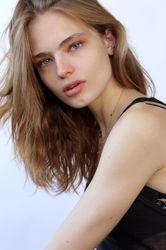
model Xenia Deli is all over the home page of the Ravetti lingerie site. Can anyone get the pictures?


model Xenia Deli is all over the home page of the Ravetti lingerie site. Can anyone get the pictures?
http://ravetti.md/sites/default/files/imag...0.thumbnail.jpg

http://ravetti.md/sites/default/files/imag...92_150mdl_0.jpg

It's quite easy to get the pictures
You can always LOWER the resolution of a digital image in many kinds of image programs such as Painter, Photoshop, Gimp, Corel and others. These applications simply remove data and make a smaller file size.
But, once the data is removed, or, if it isn't there to begin with, NO computer application can replace the missing information. Some applications can make some "guesses" at where to add certain color pixels, but, since a computer cannot go back in time to find out what the missing details are, any true improvement in image resolution is pretty much impossible.
Here's an example. Consider a small, online photograph, containing an image of a person in the distance, and, a sign of some sort, behind that person. The person's eyes may consist of only one or two pixels and we can identify the featur as an eye, mostly because of it's position on the face. Increasing the size of the image will only result in bigger pixels. The eye will STILL be only one or two blocky pixels. Increasing the resolution of the photo will only result in big blocks of color, with each block (the original pixel) being made up of smaller blocks of the same color.
Mean while, considering the sign behind the person, if the sign cannot be made out because the letters are only made up of a small handfull of pixels, then increasing the resolution will not make the sign more legible. The computer has no way of "knowing" what the sign should read, so, adding pixels would be no help.The digital data has to be present, in the first place for the computer to make a high quality image.
Thanks
model Xenia Deli is all over the home page of the Ravetti lingerie site. Can anyone get the pictures?
http://ravetti.md/sites/default/files/imag...0.thumbnail.jpg
http://ravetti.md/sites/default/files/imag...92_150mdl_0.jpg
It's quite easy to get the pictures
Yes, but it's the homepage pics that I want.
I search, found Baby Jude's method, but the Image URL's are different now.
http://www.urbanoutfitters.co.uk/vaudevill...51/&bklist=
http://www.urbanoutfitters.co.uk/content/e...51_Cream_t1.jpg

^ My method only works for the US version of Urban Outfitters, unfortunately. The largest resolution images you can get from the UK site are not very big: http://www.urbanoutfitters.co.uk/content/e...51_Cream_l1.jpg

^ Ahhh. Thanks. I was seriously confused then. Haha.

model Xenia Deli is all over the home page of the Ravetti lingerie site. Can anyone get the pictures?
Yes, but it's the homepage pics that I want.
http://ravetti.md/sites/default/files/01.jpg etc.

-- J@mes