OriginalSin Locked
12466 replies · 132008 views
no, let me search again 
I have totally never heard of this, I mean wha tthe fuck how I can i love photoshop and nto now abotu this :\
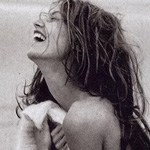
btw it took me HOURS to get my picture the way I wanted it...so don't give up after just a few tries 
I have totally never heard of this, I mean wha tthe fuck how I can i love photoshop and nto now abotu this :\
 No idea...but you have been missing out :|
what you trying to say  my shit sucks without them, want to take this outside again
haha no...just that PS brushes are God's gift to mortals :|

ooo I like how it's coming along
Wait...it's got that texture thingie going on again...I thought you removed that? 
Sorry if I'm being anal/annoying  You really are doing a good job
O yea, i keep clickign undo must of un did it, ill get rid of it Don't worry i like it

yay 
everythign is good  was I successful
yep
Do you want it to look more like an actual photograph or are you happy with that? If you make it look more like a photo, you'll then have to worry about making the border look old too...idk if you wanna do that
I do, tell me :| perfection then I will know for next time as well
Well for one it will help if you put this image on top of another one...whether it's blank or whatever because the effect only really looks good when there's a contrast. You need to add a stroke of about 10 pixels. then fiddle with the drop shadow to cast a shadow behind the pic (which is why it's important to have the pic sitting on top of a background otherwise the shadow doesn't really work haha). Then after that, you have to find a way to make the stroke look old - this took me a surprisingly long time...it was as though every effect I tried afterwards would only be applied to the image and not the stroke. After repeated attempts at trying different things, I finally got it :| So have fun with that trial and error method
put what image  on top of what
open a new image - blank canvas. take the image you have of almudena and drop it on to the blank canvas so that when you add the stroke and drop shadow it will actually show up and look like you did something (this is especially important for the drop shadow effect which won't show up unless it's got something to cast a shadow on so to speak)
the undoctored image? or the paper i have now
Nicole, give him screen caps!! screen caps are what make tutorials go round!
im confused sorry 