Photoshop Tutorials Pinned
453 replies · 142021 views
done!  thanks a lot, don!
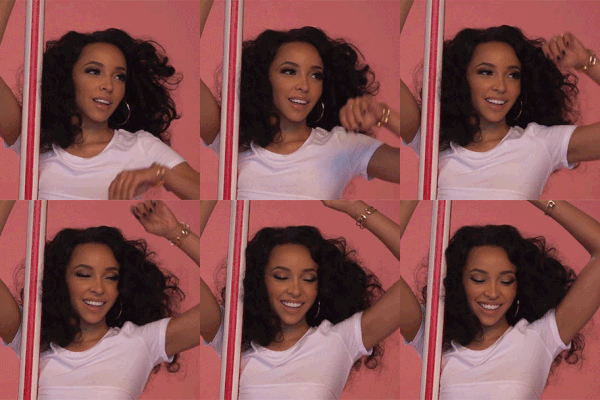

Can somebody tell me how you get the effects? Like frames/borders into Photoshop? Thanks 

^I'm not really sure which bit you need help with?
You can just Google something like vector circle border if you want some free ones to use, then if you want an image to sit in the middle, just put it on a layer underneath and add a circle mask that lines up with the 'hole'. I can help more if you're more specific with what you're unsure about

^ Yep that answers it, thank you! 
is there a way to take a gif and turn someones skin blue?
I've never seen someone do it, and I'm just curious if it's possible?
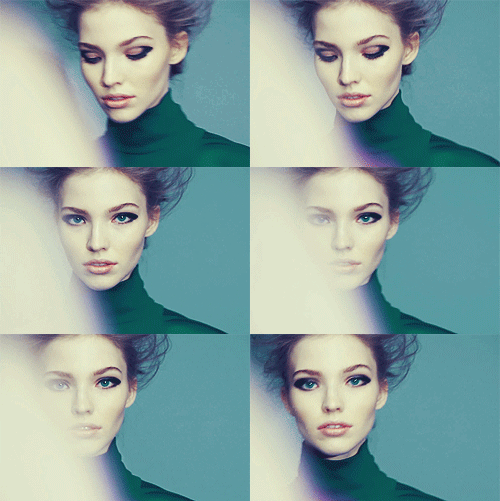
You could try the technique I explained here: http://www.bellazon.com/main/topic/2024-photoshop-tutorials/page-21#entry3240327is there a way to take a gif and turn someones skin blue?
tumblr_mrlmplfhLI1su8ws4o4_250.gif
I've never seen someone do it, and I'm just curious if it's possible?
Trying to target just the skin can be difficult though, and that image in particular with the skin being so pale it might be hard getting a really rich blue via Hue/Saturation (I assume you want it a la Asari) 
Only being 20 frames though, maybe it's worth the effort to do it frame by frame? Would probably give you a better result.
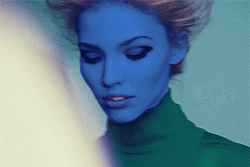
Probably doesn't help much, sorry.
Adding tentacles is a whole other thing 
 It's actually for D&D, my character is a Samsaran, they have blue skin
Thanks so much for the tips! I'll see what I can do
Hii
have a little problem, I wanna make gif from images, and want to fade it, but it fades to transparent background , how should I change it to white ?  it looks like that
no idea what happens I used to use this effect and it was good then

^I presume you're using the "Tween" function?
Basically you need to make sure your ending frame layer is also visible in the first frame.
So for example if you want to fade an image to white..
If you have the starting frame like this:
(Picture layer visible, white layer invisible)
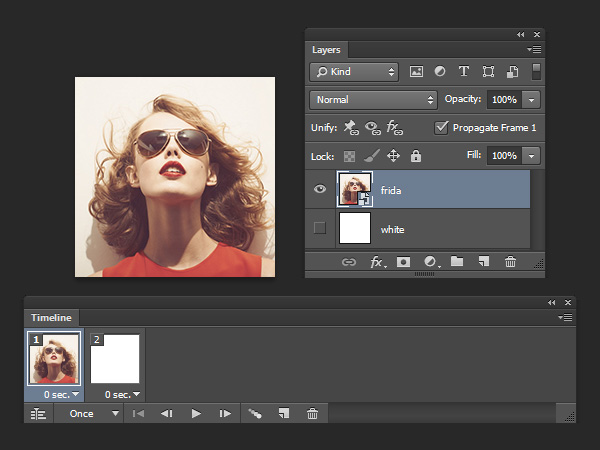
And the ending frame like this:
(Picture layer invisible, white layer visible)
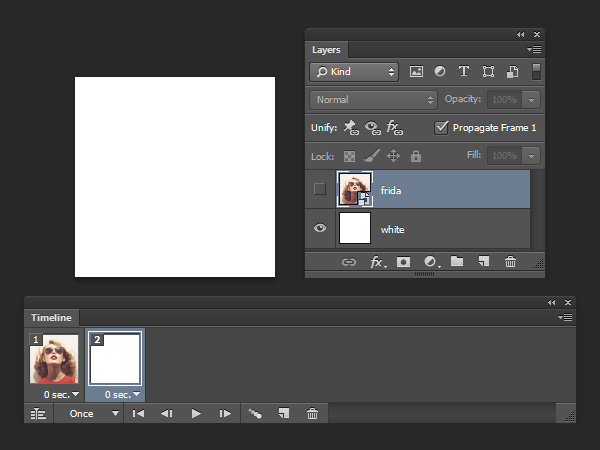
If you then tween those frames, what will happen is:
- the picture layer will tween from being 100% visible to 0% visible
- the white layer will tween from being 0% visible to 100% visible
This means that in the middle frames, both layers will be semi-transparent
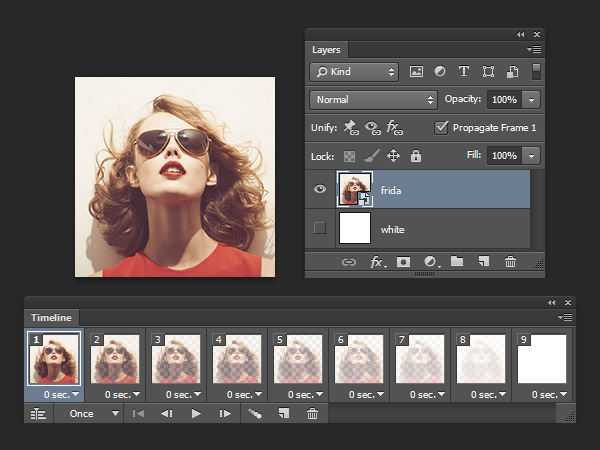
What you want to do instead is have the starting frame like this:
(Both picture layer and white layer visible)
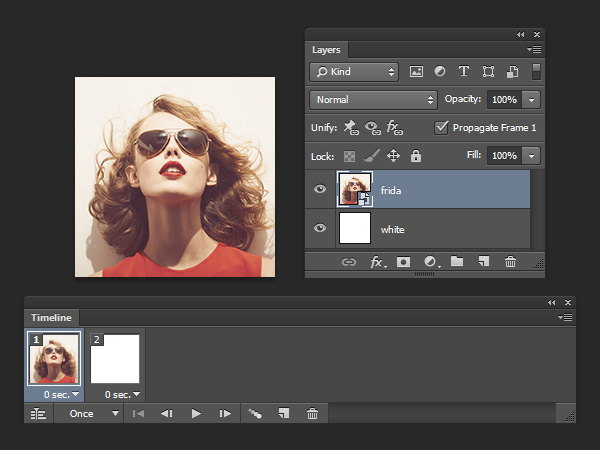
And the ending frame as before:
(Picture layer invisible, white layer visible)
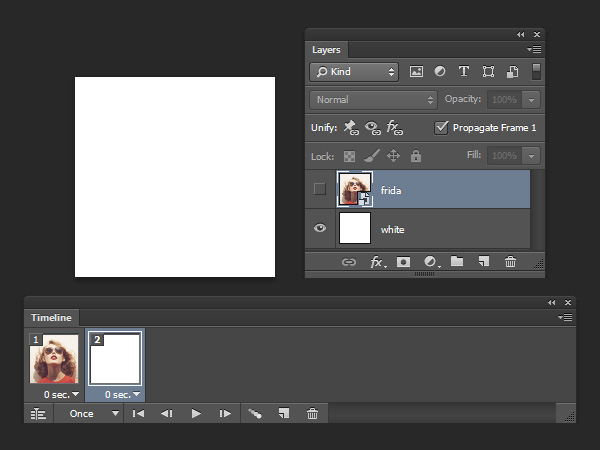
Now what happens when you tween the frames:
- the picture layer will tween from being 100% visible to 0% visible
- the white layer will not change, and will remain 100% visible in all frames
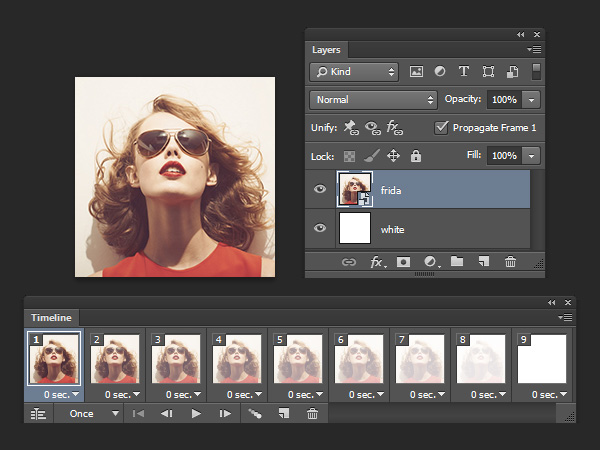
oh thank you!  now it makes sense!
loving your tutorials, cuz you always explain why I should use this or that effect/button and not just saying like click "this button" and then "click another one" and you'll get what you want! 
You're welcome
Very helpful, thanks
hmm I know I should make this grey lines effects with defining pattern, but when I do it lines are very very close to each other and looking at it aches my eyes, how can I control the distance between these grey lines ? I like the way it is here


thanks
very useful even in 2019