How To Get HQ Pictures From Online (PLEASE READ FIRST POST PRIOR TO POSTING)
2650 replies · 280377 views
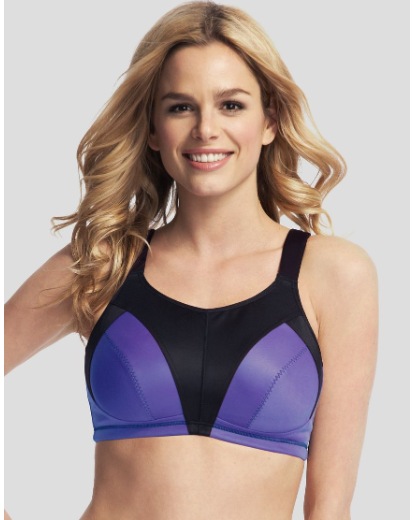
How to make pictures from this site in hq?
http://www.shopstyle.co.uk/browse?fts=non%20wired%20sports%20bra
This is the largest I can get, when I zoom it, but I need it bigger
http://products.drct2u.com/content/images/products/hp/hp913/hp913_r703224-p711736-fronthuge.jpg
They are tiled. The url of each tile is like that:
(remove 'huge' and replace by '/TileGroup0/3-X-Y')
The last two numbers (1 and 2 above) are the tile X and Y number. The number before it
(3 above) is the manfiying factor, 3 is the maximum apparently (maybe some images have larger).
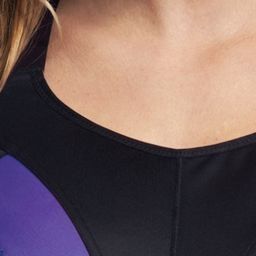
Thanks anyway, but it is to complicated for me  I hope someone will find out how to get the full picture in bigger quality

Is it possible to have this bigger?:

I'm not sure if this is already common knowledge (pardon me as I'm usually slow about these things  ), but if you want the full-size photo from a Google+ album, just change the URL as follows:
eg. this photo:
https://plus.google.com/+ABC/photos/photo/5745124987619909330
Get the image URL:

Change the second last part with the width and height dimensions, in this case, "w917-h559-no", to "s0-d":

Then you'll be able to save the original photo.
Then again you might already be able to get the original from your timeline or something lol, but I find Google+ profiles utterly confusing so this is just my two cents
Change the second last part with the width and height dimensions, in this case, "w917-h559-no", to "s0-d":
or "w917-h559-no", to "s1600"
Change the second last part with the width and height dimensions, in this case, "w917-h559-no", to "s0-d":
or "w917-h559-no", to "s1600"
But that limits the image you get to a width of 1600px For example, with this picture:
https://plus.google.com/photos/109477602961244144646/albums/5911489887488045825
Album image:

The original is 2048x1291px:

Yours only bring up a 1600x1009px:

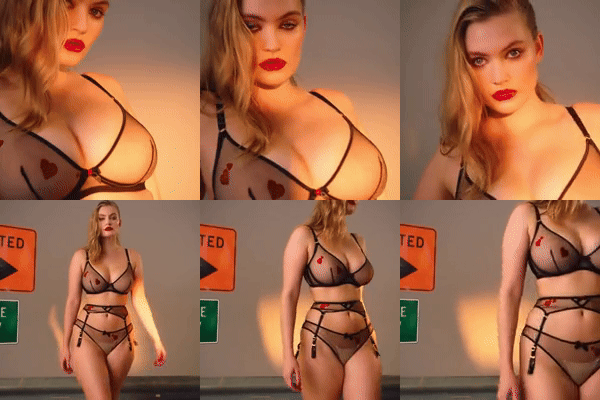
Same probleme with portfoliopad here http://twomanagement.com/portfolio.aspx?nav=0&subid=12576&mainsubid=12576&modelid=640145&sexid=2&a=16
We can have in HQ the 75 78 and 79 but not the 76 and 77 and maybe more
Someone can help me please ? Thanks in advance


BUMP !
Can anyone help me with these pictures? Is there a way to make them HQ? Thanks in advance.
Can anyone help me with these pictures? Is there a way to make them HQ? Thanks in advance.
You can just download each image using the download button. They are zip files and you unzip and there you have the HQ image!
Can anyone help me with these pictures? Is there a way to make them HQ? Thanks in advance.
You can just download each image using the download button. They are zip files and you unzip and there you have the HQ image!
Thank you so much for the tips, punto1!

Anyone on trunk archive please?
I don't remember the truck to change the pic to medium size to bigger with no wattermark
http://a3.trunkarchive.com/Docs/TRU/Media/TR3_WATERMARKED/8/1/e/a/TRU676372.jpg

I know there is 2 or 3 things to change in the code somewhere?

www.demotix.com
Trick? Anyone? 
Any idea how to make larger pictures from fox models agency?
Thank you
http://www.foxmodel.com/app/modeli/w/JovanaP/net/142-Jovana.jpg

http://www.foxmodel.com/index.php?strana=modeliw.php&ostalo=JovanaP
www.demotix.com
Trick? Anyone?
To get MQ untagged, change a_crop_medium_aspect in the thumbnail URL to o_scale_large.
www.demotix.com
Trick? Anyone?
To get MQ untagged, change a_crop_medium_aspect in the thumbnail URL to o_scale_large.
Aww! Thank you sooo much ^_^
My trick for getting HQ pics from H&M (re: http://www.bellazon.com/main/topic/48201-complete-list-of-hq-image-tricks/#entry3021378) doesn't work anymore. Anybody know how to get HQs from the website's updated system?
TIA
Yes that trick still works I just tried it now ^^
Woops, it wasn't working for me like a week or so ago but it still works now. Anyway, I better way to phrase my question is that I've noticed that you can get larger images from H&M than the ones I get using my trick. Anybody know how to get UUHQ pics from H&M?
Yes I noticed that too ^ if someone can post that one please

I assume nowadays only those in the industry who have registered with portfoliopad are able to get access to the extra-large images? If so, I would be grateful if anyone who has access is able to get the extra-large images of the below for me? Thanks a millions in advance.
http://assets.portfoliopad.com/images/9122/657959/Large/071.jpg
http://assets/portfoliopad.com/images/9122/657959/Large/072.jpg

http://assets/portfoliopad.com/images/9122/657959/Large/073.jpg

http://assets/portfoliopad.com/images/9122/657959/Large/074.jpg

Also, is there any way to get a larger image of this below image from modellink.se?
http://217.146.70.53/intranet/files/models/original/7006/7006_640500_ORIG.jpg

I reckon it is to do with amending the 'original' or 'ORIG' in the URL but not able to 'crack' it. Again, many thanks in advance if anyone knows the trick and is willing to share.