How To Get HQ Pictures From Online (PLEASE READ FIRST POST PRIOR TO POSTING)
2650 replies · 280364 views

Is there a way to grab HQ's from J crew catalog(they call it Style Guide? Please!
https://www.jcrew.com/flatpages/catalog_google.jsp
I saw members on another forum posting HQ's from J crew catalog and they list the site J crew itself as the source.
So I think there must be a way????/

Just right click on the picture, view page info - media and get picture link, then change h800 to h8000 and you will get this picture in HQ (I am using firefox)
Oh that's so easy and so cool.  Thanx alot Sanja.
P.S. Do you know if there's a way to browse their previous catalogs? when I wrote the above post it was link to their March catalog now the same link leads to April ?


Anyone can get this photos of Hannah Simone? http://blog.muchmusic.com/hannah-simone-redux/

Anyone can get this photos of Hannah Simone? http://blog.muchmusic.com/hannah-simone-redux/
The images from the slideshow? Here are the direct links:
http://storage.filemobile.com/storage/432890/15
http://storage.filemobile.com/storage/432889/15
http://storage.filemobile.com/storage/432888/15
http://storage.filemobile.com/storage/432896/15
http://storage.filemobile.com/storage/432886/15
http://storage.filemobile.com/storage/432893/15
http://storage.filemobile.com/storage/432887/15
http://storage.filemobile.com/storage/432891/15
http://storage.filemobile.com/storage/432892/15
http://storage.filemobile.com/storage/432885/15
http://storage.filemobile.com/storage/432895/15
Don't think it's possible to make them bigger.
thank you! did you used ad block to take them? i tryied to but it only gaved me one or two 
thank you! did you used ad block to take them? i tryied to but it only gaved me one or two
I tried AdBlock, but had no luck so tried Firebug, and success! 
Just right click on the picture, view page info - media and get picture link, then change h800 to h8000 and you will get this picture in HQ (I am using firefox)
I have problems now grabbing the link,I do what you said,but no links for images given,I use firefox too .
Edit:got it.
Soooo me again lol
Anyone can get this "the riot club" trailer?:
real player catcher (or something alike lol) might be able to get that but unfortunatly it doesnt work on my computer as it is as old as the stone age lol
oh nevermind i found it on youtube lol
Hey,
what about NeimanMarcus? They're cutting out the model's faces - and i hate that.
Is it possible to get the hole pic?
I know how to get zoomed pic:
http://images.neimanmarcus.com/ca/2/product_assets/SU/4/7/Z/A/NM-47ZA_mz.jpg

Thanks!
P.S.: Same problem here: http://www.selfridges.com/en/Womenswear/Categories/Shop-Clothing/Trousers/Leggings/Paloma-faux-leather-leggings_150-3002369-18354081086/?previewAttribute=Black
Or here:
Hm, another question:
Is there a way to get higher resolution than 1110 from Asos?
Is that all?:
http://images.asos-media.com/inv/media/1/6/0/1/3771061/bottlegreen/image1xxl.jpg

Thanks!

Change the second last part with the width and height dimensions, in this case, "w917-h559-no", to "s0-d":
or "w917-h559-no", to "s1600"
But that limits the image you get to a width of 1600px
https://plus.google.com/photos/109477602961244144646/albums/5911489887488045825
Album image:
The original is 2048x1291px:
Yours only bring up a 1600x1009px:


Simply use "s0" instead of "s0-d"
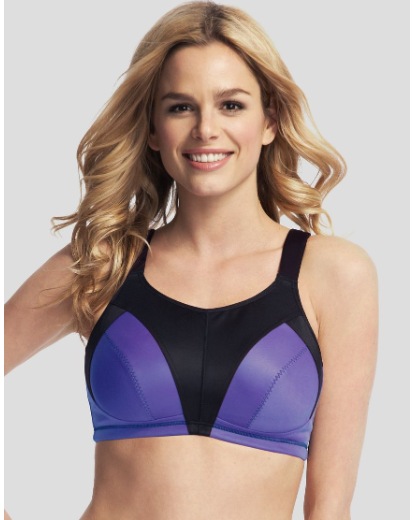
How to make pictures from this site in hq?
http://www.shopstyle.co.uk/browse?fts=non%20wired%20sports%20bra
This is the largest I can get, when I zoom it, but I need it bigger
http://products.drct2u.com/content/images/products/hp/hp913/hp913_r703224-p711736-fronthuge.jpg
They are tiled. The url of each tile is like that:
(remove 'huge' and replace by '/TileGroup0/3-X-Y')
The last two numbers (1 and 2 above) are the tile X and Y number. The number before it
(3 above) is the manfiying factor, 3 is the maximum apparently (maybe some images have larger).
You can see the original image dimension with this:

i know you guys explained how to get images from Macys but I tried it and it didn't work.
http://www.landsend.com/products/womens-short-sleeve-slub-jersey-graphic-art-tee/id_267965
Obviously the same model. I am able to identify models. I can't always get the images. If anyone is interested, I could identify models and you can post them. (i focus on editorial and print ads) Because the same models are getting updated and lots of models who work a lot are getting neglected because people can't recognize them. I am not asking for everything single image of that model to be upload just a few so others can use it as a reference. PM me if you are interested. thanks for your help.

I know Victoria's Secret changed their server, and the post on the first page doesn't work anymore. Can someone post the new way to access the server, thanks!
i know you guys explained how to get images from Macys but I tried it and it didn't work.
http://www.landsend.com/products/womens-short-sleeve-slub-jersey-graphic-art-tee/id_267965
Obviously the same model. I am able to identify models. I can't always get the images. If anyone is interested, I could identify models and you can post them. (i focus on editorial and print ads) Because the same models are getting updated and lots of models who work a lot are getting neglected because people can't recognize them. I am not asking for everything single image of that model to be upload just a few so others can use it as a reference. PM me if you are interested. thanks for your help.
The landsend one is easy. Open the thumb (right-click on it and "open Image" on Opera) , and replace everything after the '?' by scl=1, to get something like that:
http://s7.landsend.com/is/image/LandsEnd/441405_AG14_FF_O7E?scl=1
For macys, you need to find the image, and right click doesn't do it in teh product page. In this case,
I selected one of the "customers also shopped" on the right. In the new product page
that image at the top appeared in "customers also shopped" (That doesn't always work.), so I could open it with
right-clik, and then add "?hei=2000" in the end, to get this:
http://slimages.macys.com/is/image/MCY/products/9/optimized/1712029_fpx.tif?hei=2000
Another way is to look atthe source of the page and find the image, which appears with other stuff after the '?'. replace it
all by "hei=2000". This way you can find all the images in the page, but it more work.