Problems and Suggestions for BZ - Post Here Pinned
4951 replies · 732336 views

10 hours ago, Minerva13 said:Maybe someone answer me?
Hi, not sure how the software works, certain things you cannot hide from admins and mods, maybe thats one of them. I will ask the devs to see if I can find out.

I still have issues with uploading new avatars. They still look blurry and now I can't even put new ones because the site doesn't update them and keeps the one I have. Isn't it possible to solve this issue? Once the avatar used to look great and now it's ruined, Idk why. 
On 11/23/2018 at 12:58 PM, lostdiadem said:I still have issues with uploading new avatars. They still look blurry and now I can't even put new ones because the site doesn't update them and keeps the one I have. Isn't it possible to solve this issue? Once the avatar used to look great and now it's ruined, Idk why.
Im out of town until Tues. I will try to take a look later next week. Ususally there is a delay, like you upload the avatar and it can take a min or two to update.
Regarding the blurryness, we convert them to MP4 to save significant bandwidth. You avatar looks fine right now  but it may be a little less quality then the original gif.
8 hours ago, maddog107 said:Im out of town until Tues. I will try to take a look later next week. Ususally there is a delay, like you upload the avatar and it can take a min or two to update.
Regarding the blurryness, we convert them to MP4 to save significant bandwidth. You avatar looks fine right now
Ok, gotcha! Thanks!
Noticing pages freeze again when I navigate to them. Wasn't this to do with ads as I recall?
Using Chrome on windows 10 fwiw.

it would be great if there were a way to view all images (thumbnails should be fine) from a thread, that way it would be allot easier to verify if something you're about to upload has been previously posted.
embedded instagram posts are not currently searchable as I know of, if you search for the actual link to the post. the search results will not find the embedded post. It would be great if that worked to help avoid reposts.
On 11/11/2018 at 10:52 AM, Shepherd said:I like the forum uploader. It loads faster and is more convenient than any hosting site I've tried.
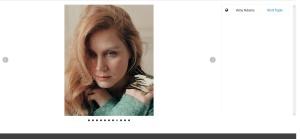
Lately however, clicking on the generated thumbnails produces a different display.
At first the old type page (below) will show up, which is cool because you can click on it for a full size view of the image.
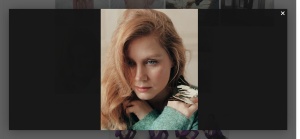

But after a short period of time this new view (below) is presented and you have to download the image to view it full size.
Also, quite often a blank page presents and you have to click around on the dots at the bottom to find the image you want,
sometimes with the various images flashing back and forth.
https://www.bellazon.com/main/topic/12481-amy-adams/?do=findComment&comment=4718694
This is just one example. It happens across the board.
I have seen several other unfavorable comments about this.
Ok finally back at home so I can look at all this stuff.
So I could not reproduce the issue, is it still a problem? What OS/browser are you using?
And you are still able to see the full size, just click on the image and click either the magnifying glass or the two little squares next to it (100% zoom).
14 hours ago, munetrudis said:embedded instagram posts are not currently searchable as I know of, if you search for the actual link to the post. the search results will not find the embedded post. It would be great if that worked to help avoid reposts.
They are stored on instagrams servers so we cannot search them unfortunately.
On 11/27/2018 at 10:03 AM, specdude said:Noticing pages freeze again when I navigate to them. Wasn't this to do with ads as I recall?
Using Chrome on windows 10 fwiw.
Yes it was ads last time, strange I thought we fixed that. Any particular page?

6 hours ago, maddog107 said:
Ok finally back at home so I can look at all this stuff.
So I could not reproduce the issue, is it still a problem? What OS/browser are you using?
And you are still able to see the full size, just click on the image and click either the magnifying glass or the two little squares next to it (100% zoom).
Okay, after clicking on the image a second time it can be viewed full size now. The problem with finding the image you want to see
using the dots below persists. (Win 8.1, Opera and/or Firefox.)
Ex: https://www.bellazon.com/main/topic/53169-katherine-mcnamara/?do=findComment&comment=4727125
10 hours ago, maddog107 said:
Yes it was ads last time, strange I thought we fixed that. Any particular page?
It's not happening now. I'll make note of the page if it happens again. Thanks.
ok it happened just now on this page fwiw: https://www.bellazon.com/main/forum/46-female-fashion-models/?sortby=views&sortdirection=desc&page=7
9 hours ago, maddog107 said:
They are stored on instagrams servers so we cannot search them unfortunately.
how does search currently work? does it not look at the HTML?
i've found an issue that I can finally reproduce:
if you go to edit a post and then hit the cancel button and exit the edit window you loose input control, you can no longer scroll until the page is refreshed. I've noticed this happen on the edit profile window also.
reproduced on Safari 12.0.2 on a MacBook Pro running High Sierra 10.13.6

Another spammer appeared again:
<___base_url___>/topic/70852-genuine-and-warm-hearted-mumbai-escorts-ready-for-fun/?do=embed
Irrelevant topic in Females General Discussion thread. Please delete.
<___base_url___>/topic/70766-puja-thali/?do=embed
I'm getting a lot of this again on the mobile site.

On 12/1/2018 at 5:28 AM, ArianaVSCouture said:Another spammer appeared again:
<___base_url___>/topic/70852-genuine-and-warm-hearted-mumbai-escorts-ready-for-fun/?do=embed
done
On 12/2/2018 at 5:15 PM, Grievous said:I'm getting a lot of this again on the mobile site.

Ill take a look 
