Problems and Suggestions for BZ - Post Here Pinned
4951 replies · 732256 views

30 minutes ago, Matt! said:Small suggestion, can you bring back the original red notification? Green doesn't really stand out against the blue background


Better?

10 minutes ago, maddog107 said:Better?
Much better, thank you. 

6 hours ago, Cult Icon said:@maddog107 thanks for changing the avatars to squares- maybe can you make them as large as before?
The stats page is open in every thread, and frequently has irrelevant data- wouldn't it be more appropriate to have it closed by default, and activated only when the user is interested?

Thank you!!!

@maddog107 hey! The new layout is way better, but I was wondering if you can fix the issue with pictures, because now in the competition section all the templates from now on will be small and they need to be in the original sizes for better view and quality. I tried to copy/paste them and use the link like before, but they come out small. Thanks in advance 
15 minutes ago, lostdiadem said:@maddog107 hey! The new layout is way better, but I was wondering if you can fix the issue with pictures, because now in the competition section all the templates from now on will be small and they need to be in the original sizes for better view and quality. I tried to copy/paste them and use the link like before, but they come out small. Thanks in advance
Can you please post a screenshot with what exactly you mean? I never went over there so not sure what it use to look like and what it looks like now. Thanks.
Where is the search function on mobile?
1 hour ago, maddog107 said:
Can you please post a screenshot with what exactly you mean? I never went over there so not sure what it use to look like and what it looks like now. Thanks.
Of course!
Here's how it looked like before the new layout:

Here's how it looks now:

The size of the font is exactly the same, just saying.
It actually does it everytime I try to post a (resized) picture that the forum makes it smaller by default.
Plus, is it normal that Instagram posts don't come out anymore? It only shows the link.
I changed my theme and now I have the search function and notifications again.
5 minutes ago, lostdiadem said:Plus, is it normal that Instagram posts don't come out anymore? It only shows the link.
I like it this way!
3 hours ago, lostdiadem said:Of course!
Here's how it looked like before the new layout:
Here's how it looks now:
The size of the font is exactly the same, just saying.
It actually does it everytime I try to post a (resized) picture that the forum makes it smaller by default.
Plus, is it normal that Instagram posts don't come out anymore? It only shows the link.
Can you try now?

11 hours ago, elef said:
I also tried pasting the HTML code and it doesn't work either. I'm pretty sure I'm doing something silly, but I can't figure out what it is.
<a href="https://imgbox.com/FO9yVgHs" target="_blank"><img src="https://thumbs2.imgbox.com/95/97/FO9yVgHs_t.jpg" alt="imgbox"/></a>
10 hours ago, maddog107 said:
Below those 2 options, it shows you your thumbnails right? Just highlight those and copy and paste. If not plz post a screenshot and we can figure it out.
I have the same problem, it does not work for me 

Since we can't use ImageBam or Pixhost to upload the pics, how can we resize pictures without double cliking on each one?

2 hours ago, Daylight said:I have the same problem, it does not work for me
You have to highlight (selecting with the mouse) the image thumbnails, for instance those shown on a page at imgbox.com, then copy and paste them in the message editor here on BZ. What I am doing now is saving the usual HTML code supplied by imgbox (with my custom-sized thumbnails) as an .html file, opening the file with the browser and then selecting those thumbnails etc., but I'm looking for a more direct and convenient solution (any ideas?).

"Thumbnails" in new posts are now 4-5 times the old size.
https://www.bellazon.com/main/topic/53507-cara-santana/?do=findComment&comment=5255836
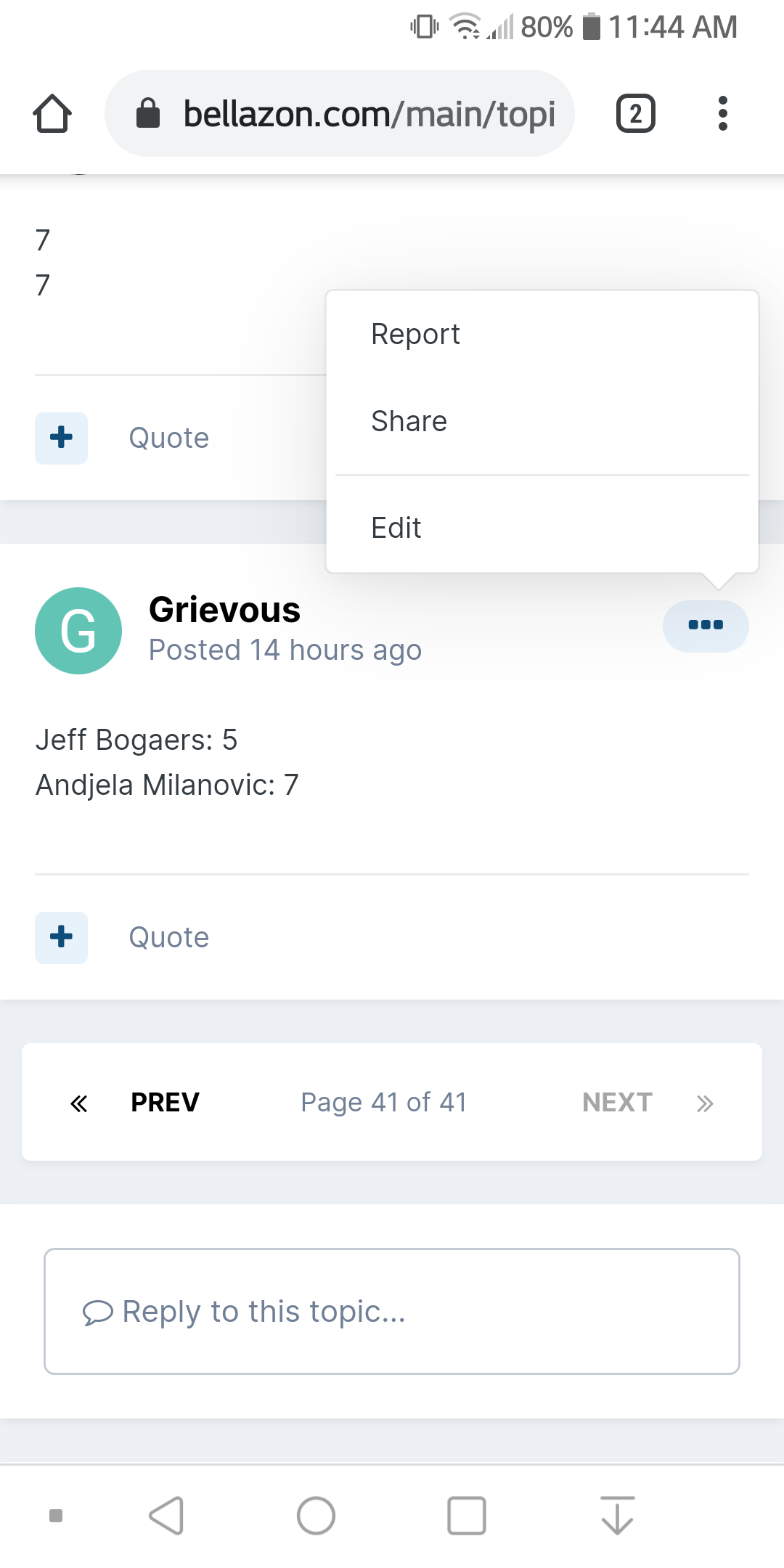
@maddog107 It seems like the "edit post" feature is disabled?
No, it's not. Click the 3 dots on the right side of the screen above your post.
Ok, thanks

After 11 Years Activity my Time ends here without a working BB Code...Too sad..
Just now, tzdon said:After 11 Years Activity my Time ends here without a working BB Code...Too sad..
What exactly do you do with BB code? Perhaps we can work out a solution. Let me know, thanks.