Problems and Suggestions for BZ - Post Here Pinned
4951 replies · 732255 views

I upload my Stuff to pixhost. And cause i "work " for some more Celeb Boards in save them with Word.
From there i copy the BB Codes into my Message...
Now i try to copy the BB Codes into the Message Editor.
When i highlight them ( with CTLR and right Mouse ) and try to paste . i get the Message : Your Browser doesnt support pasting.
( Opera Browser )
Try it with Firefox and it`s the same.
I can copy the Links from Word and click CTLR + V , the Links get inserted, but they do not work..
By the Way...This is the first Board i ever saw in the Internet without a BB Code...

8 minutes ago, tzdon said:Try it with Firefox and it`s the same.
I can copy the Links from Word and click CTLR + V , the Links get inserted, but they do not work..
By the Way...This is the first Board i ever saw in the Internet without a BB Code...
Can you try again?

11 hours ago, maddog107 said:
Can you try now?
Back to normal  thanks a lot!
2 minutes ago, maddog107 said:
Can you try again?
Don´t know how you manage it,but it seems to work...Thank you
😍👍
2 hours ago, lostdiadem said:Back to normal
2 hours ago, tzdon said:
Don´t know how you manage it,but it seems to work...Thank you
😍👍
Just letting you know that this feature is deprecated and *will* be removed in the future. I dont know if its in 6 months or 1 year but at some point it will go away. I would hope you can somehow adjust your workflow to leverage the rich text editors we have so that you can continue to post. Thanks 
On 3/29/2021 at 8:17 AM, Matt! said:The update looks great, but still needs some minor fixed IMO.
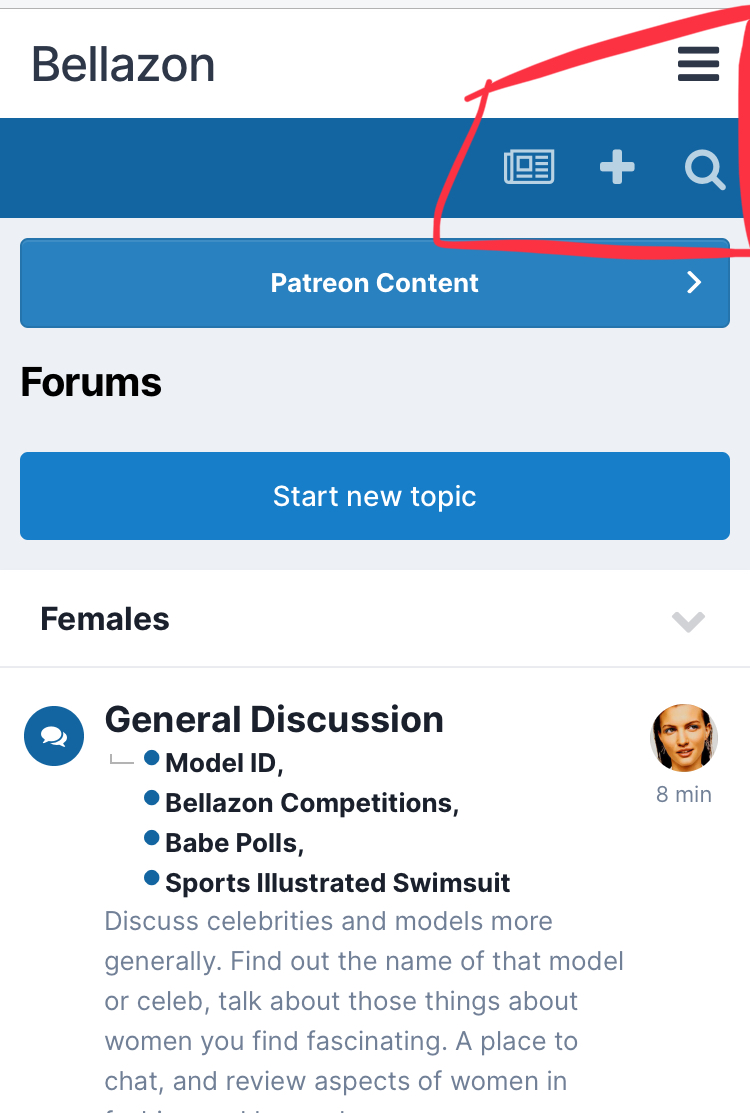
For example the navbar menu button isn't working on mobile and usernavbar has this long gap (photo).
Otherwise everything works great, thank you for the long awaited update.


On 3/29/2021 at 11:36 AM, Stormbringer said:I'm liking the new update!

The only issue I've encountered so far is that the Menu button on the mobile version is not working.
Can you check Mobile now? thanks.
4 hours ago, Shepherd said:"Thumbnails" in new posts are now 4-5 times the old size.
https://www.bellazon.com/main/topic/53507-cara-santana/?do=findComment&comment=5255836
Can you try again and let me know? Thanks.
2 minutes ago, maddog107 said:
Can you check Mobile now? thanks.
Now it works but it only shows me this:
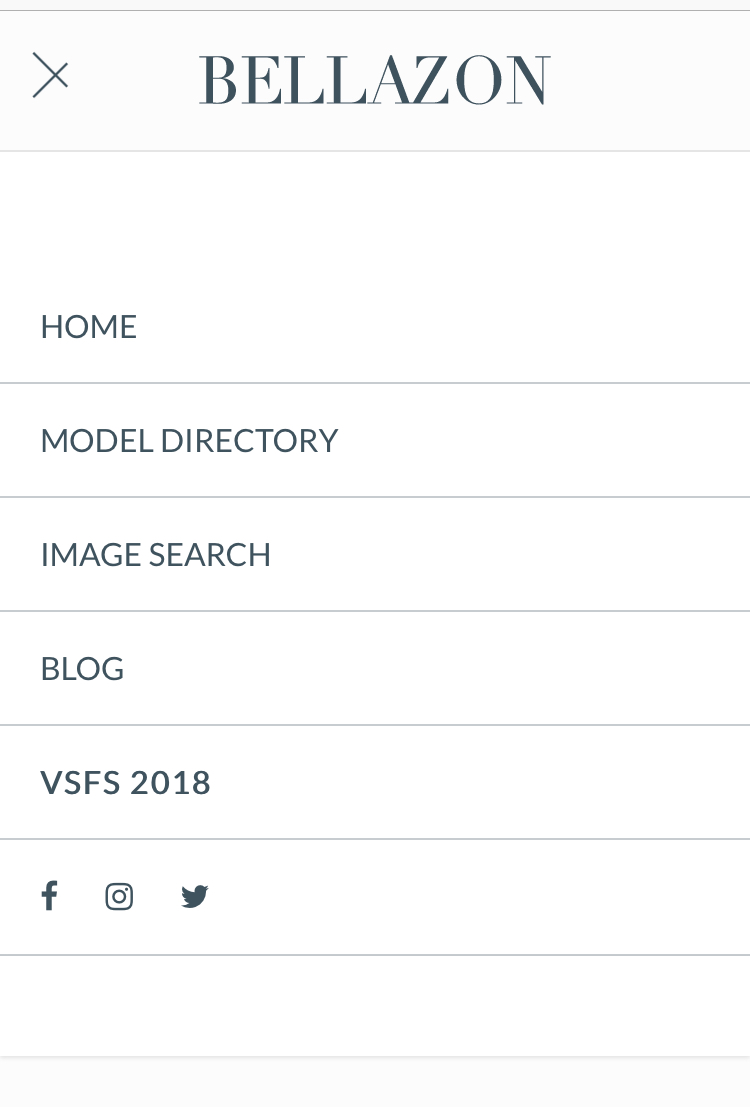
Still no acces to notifications, messages, unread content, etc.
1 minute ago, Stormbringer said:
Now it works but it only shows me this:
Still no acces to notifications, messages, unread content, etc.
hmm was that even there before? I will see if I can add it.
12 minutes ago, maddog107 said:hmm was that even there before? I will see if I can add it.
It used to be on the right side, instead of the left, with access to notifications, messages, profile, etc
26 minutes ago, maddog107 said:Can you check Mobile now? thanks.
Yeah it works now, but like @Stormbringer said we still need access to profile, PM:s, and so on 

1 hour ago, maddog107 said:Can you try again and let me know? Thanks.
https://www.bellazon.com/main/topic/12774-amanda-holden/?do=findComment&comment=5256053
@maddog107 when changing the theme on mobile however (to "Default 4.10"), a version of the old menu appears, with access to notifications, profile, search, etc.
@maddog107 hi, it's me again! The issue is back. Everytime I post pictures, they come out small. Only after you fixed it they got bigger, but the issue comes back everytime I post new pictures. Just saying.

@maddog107 The site doesn't offer all the features on mobile that it used to, which is no big deal for me personally, cause it runs fine with a single tap letting it run in desktop mode.  But I can imagine lots of users without high-powered mobile devices running into some issues.
30 minutes ago, lostdiadem said:@maddog107 hi, it's me again! The issue is back. Everytime I post pictures, they come out small. Only after you fixed it they got bigger, but the issue comes back everytime I post new pictures. Just saying.
It looks like the "external" images and "thumbnails" got combined into one setting. So if I set it to 600px for your external images, all uploaded thumbnails also get set to 600px which is way too big. I had to set it back to 300px. Can you upload the two faces as 2 seperate images (300+300), that way it would look bigger?
Sorry
7 minutes ago, elfstone said:@maddog107 The site doesn't offer all the features on mobile that it used to, which is no big deal for me personally, cause it runs fine with a single tap letting it run in desktop mode.
Can you specify which features? I still need to fix the search/notification and stuff but is there anything else apart from that menu bar?
3 minutes ago, maddog107 said:
Can you specify which features? I still need to fix the search/notification and stuff but is there anything else apart from that menu bar?
No, that pretty much covers it.
11 minutes ago, maddog107 said:
It looks like the "external" images and "thumbnails" got combined into one setting. So if I set it to 600px for your external images, all uploaded thumbnails also get set to 600px which is way too big. I had to set it back to 300px. Can you upload the two faces as 2 seperate images (300+300), that way it would look bigger?
Sorry
I didn't think about posting the single pictures, I'll try with this method. Thanks again