Photoshop Tutorials Pinned
453 replies · 142033 views

Like copy and paste? 
ANYONE?
 ???
???

^ Open all the images you want to join together and go to File--->Automate-->Photomerge. The rest should be pretty self-explanatory 
^ Open all the images you want to join together and go to File--->Automate-->Photomerge. The rest should be pretty self-explanatory
it didn't work for me x.x
Can anyone breifly explain to be how to do this

using photoshop cs2
like putting the pictures in that order and adding color

Looks like they cut everything out and pasted it all into area, placing what they wanted to view more up front
OR you could take the easy route. Go to
upload the pic you want to effect, go to the adjust menu and select the Andy Warhol effect 

See lol


See lol
That was sooooo easy!
:rofl:
Thank-You for the help!!
how do you add a texture as a backround when you make (for example) icons? I mean which layer is selected or not...hope you understand my question! 
how do you add a texture as a backround when you make (for example) icons? I mean which layer is selected or not...hope you understand my question!
Hmm I'm not quite sure what you're trying to get at, but this is what I interpreted it as:
You have an icon, and you want to put a background texture (pattern) behind it.
So here's my short tut:
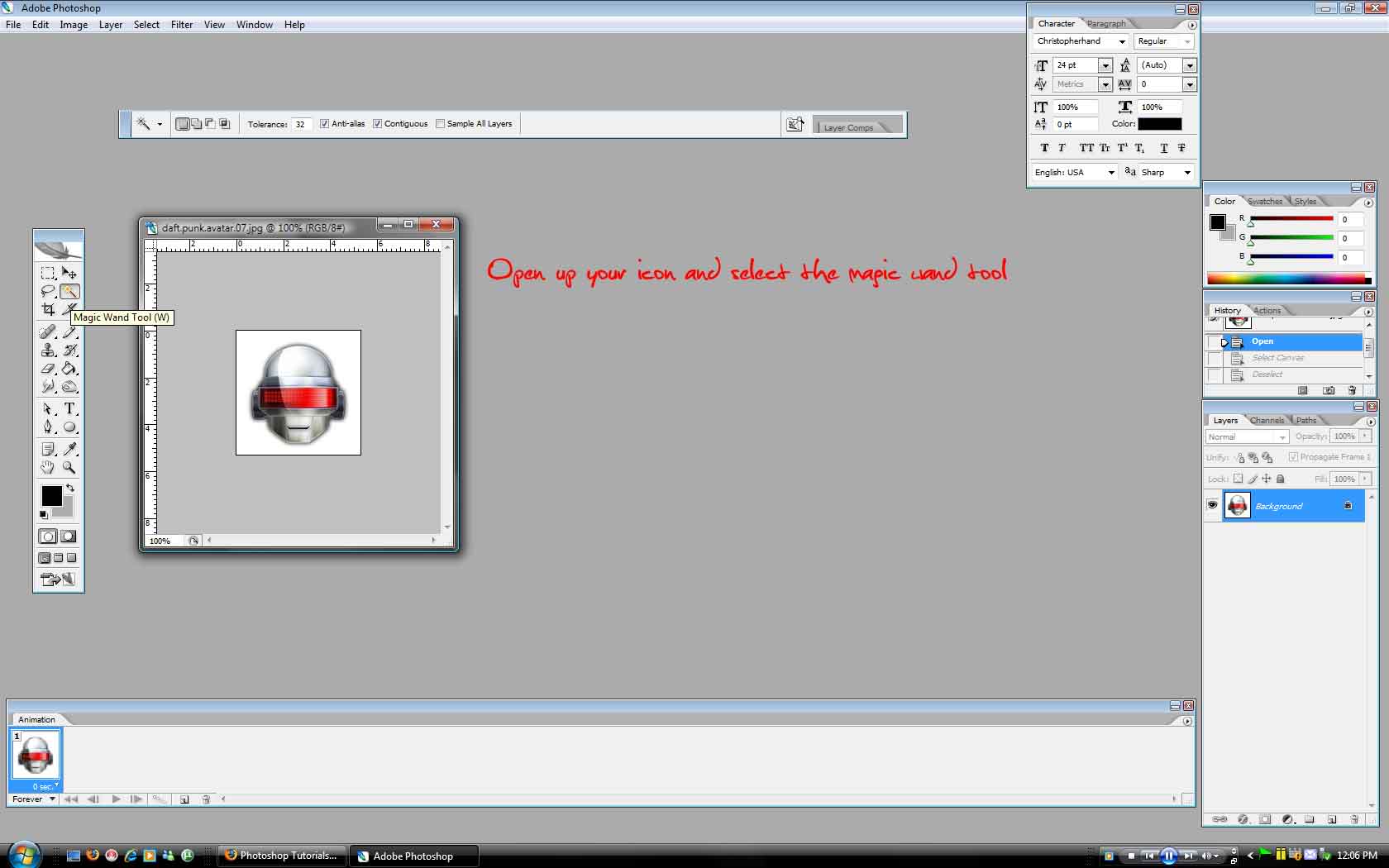
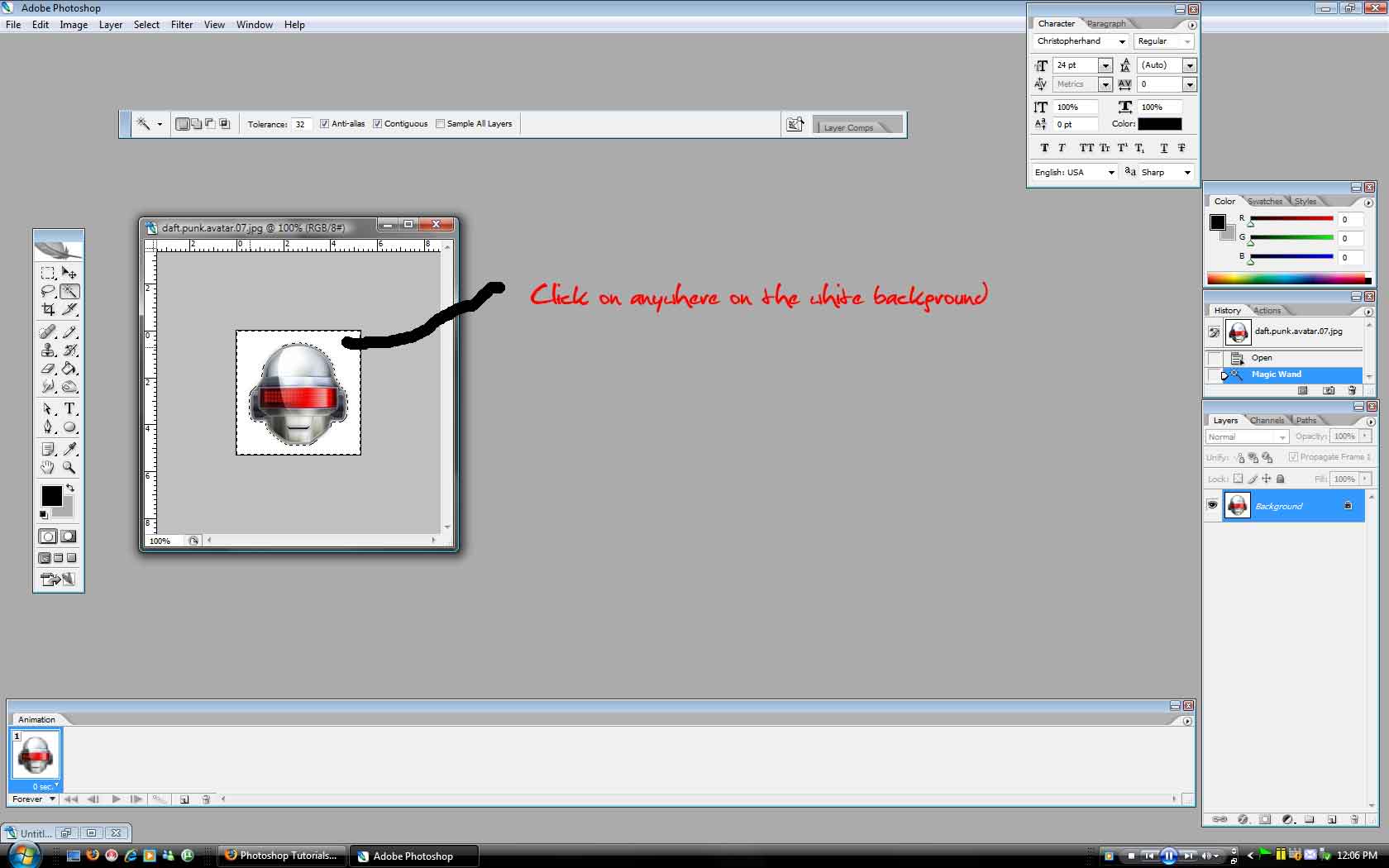
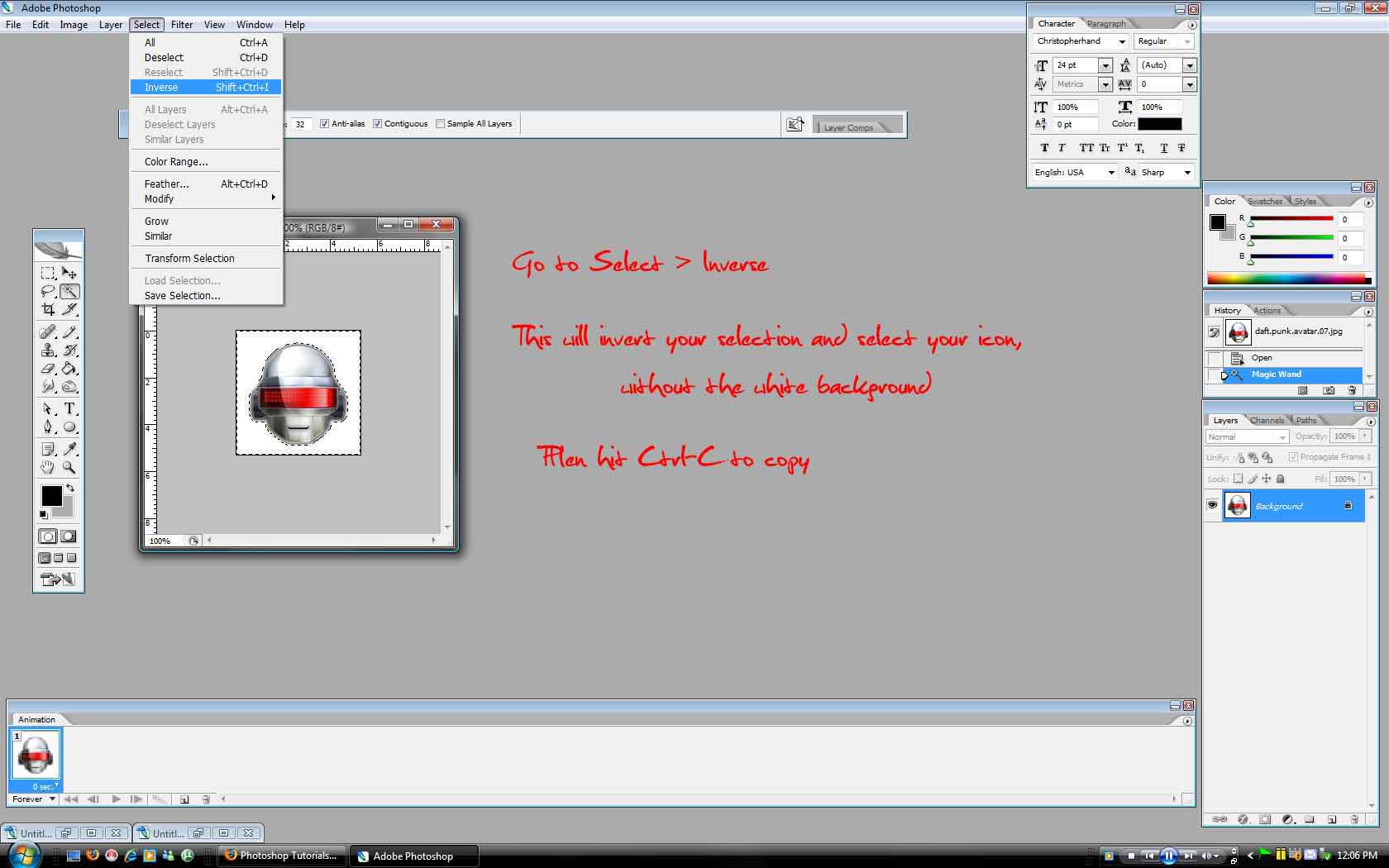
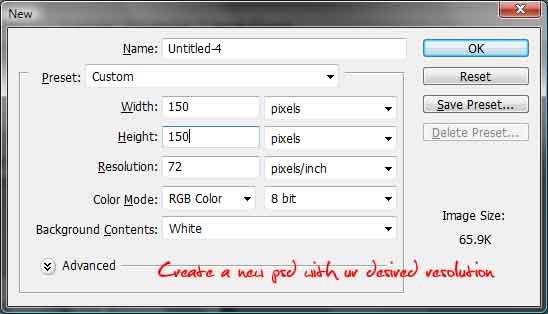
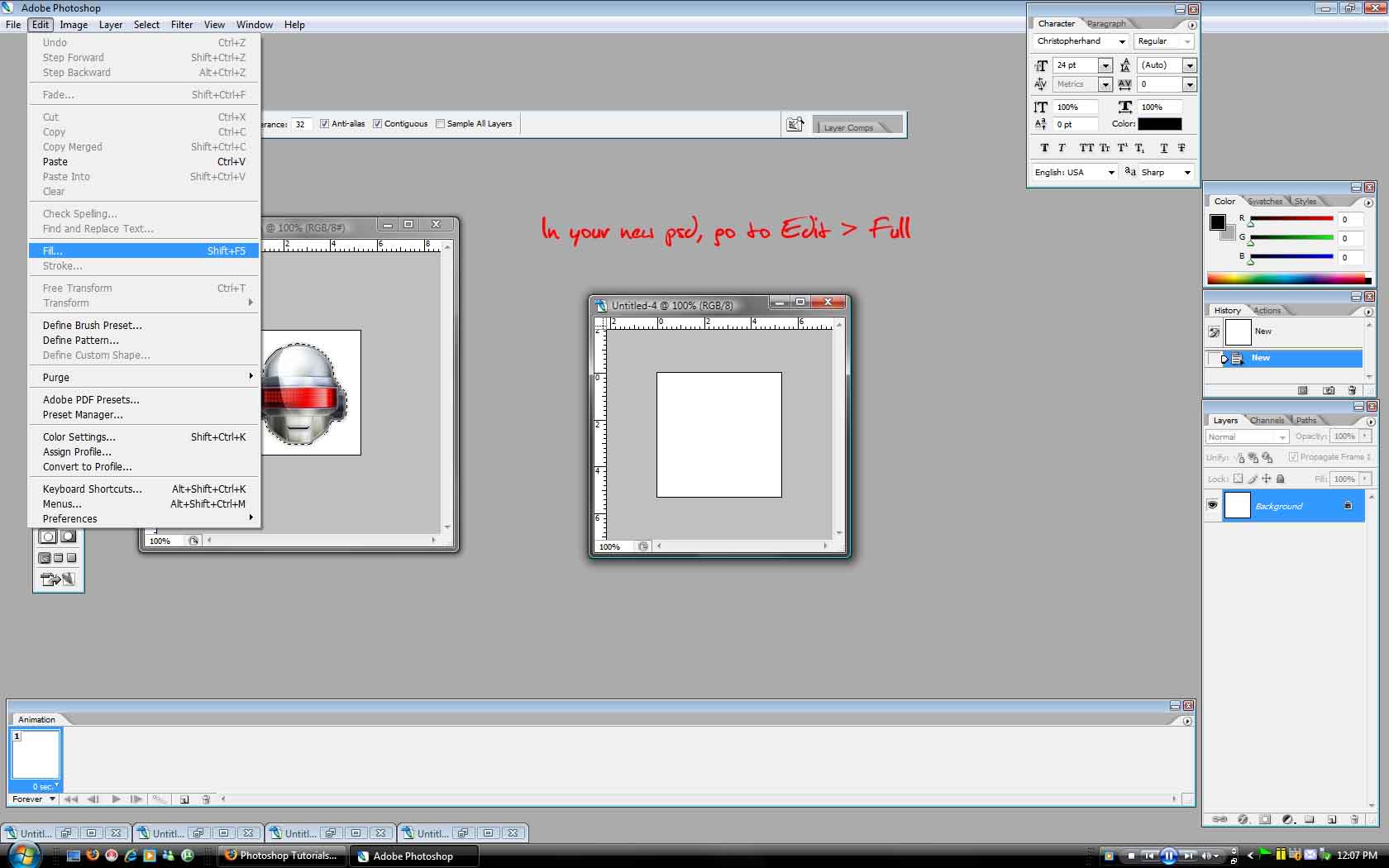
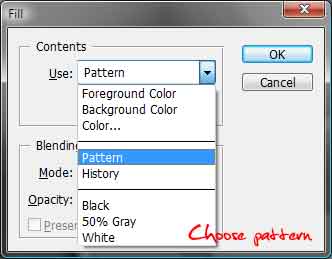
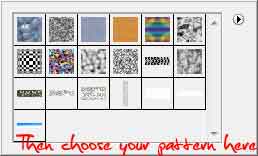
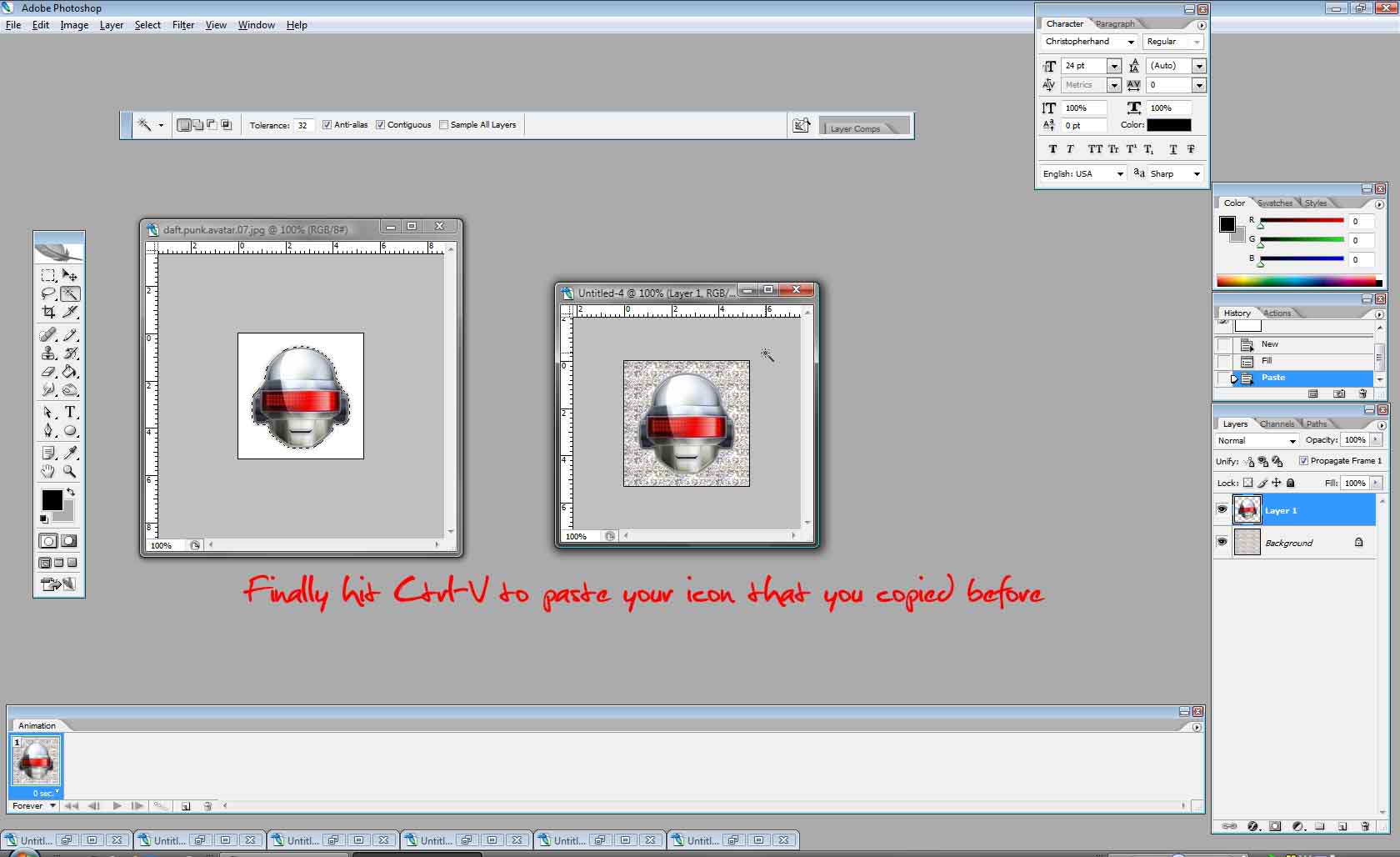
Sorry for the blank lines, was cleaning up my photobucket account and moved the pics 
Hope this is what you're after.
thanks...it helped a lot 
This software is awesome because my friend told me about the feature of this software. He called that its a magic I mean if you know how to use it you can do anything with it. Like to change face , colour, eyes, make bottons, background and much more. Really good thing and i want to learn it too how to use soon
can anyone show me how best to change hair color? with CS3
I wish to make hers a deeper darker red. More like Cintia's but it was next to impossible with the lasso tool. I want to know if there is a better way.
Thanks in advance!
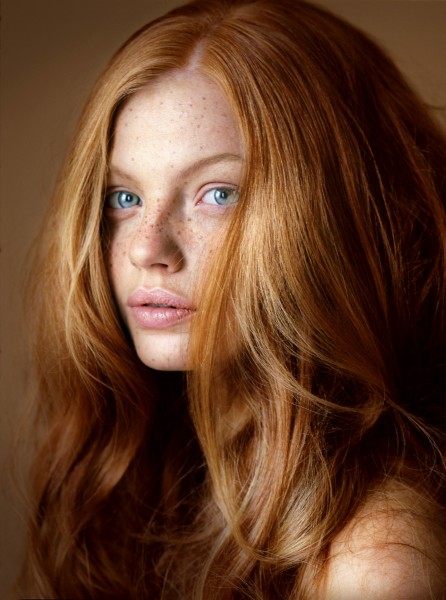
 bump in case anyone can help me now

Like this? 

Kinda rough sorry
wow...how did you do it?
yea omg LYON! HOW?!